












Trusted by 2,000,000+ users worldwide

Small Commercial GC Scheduling Software

Finish on time.
Get the referral.

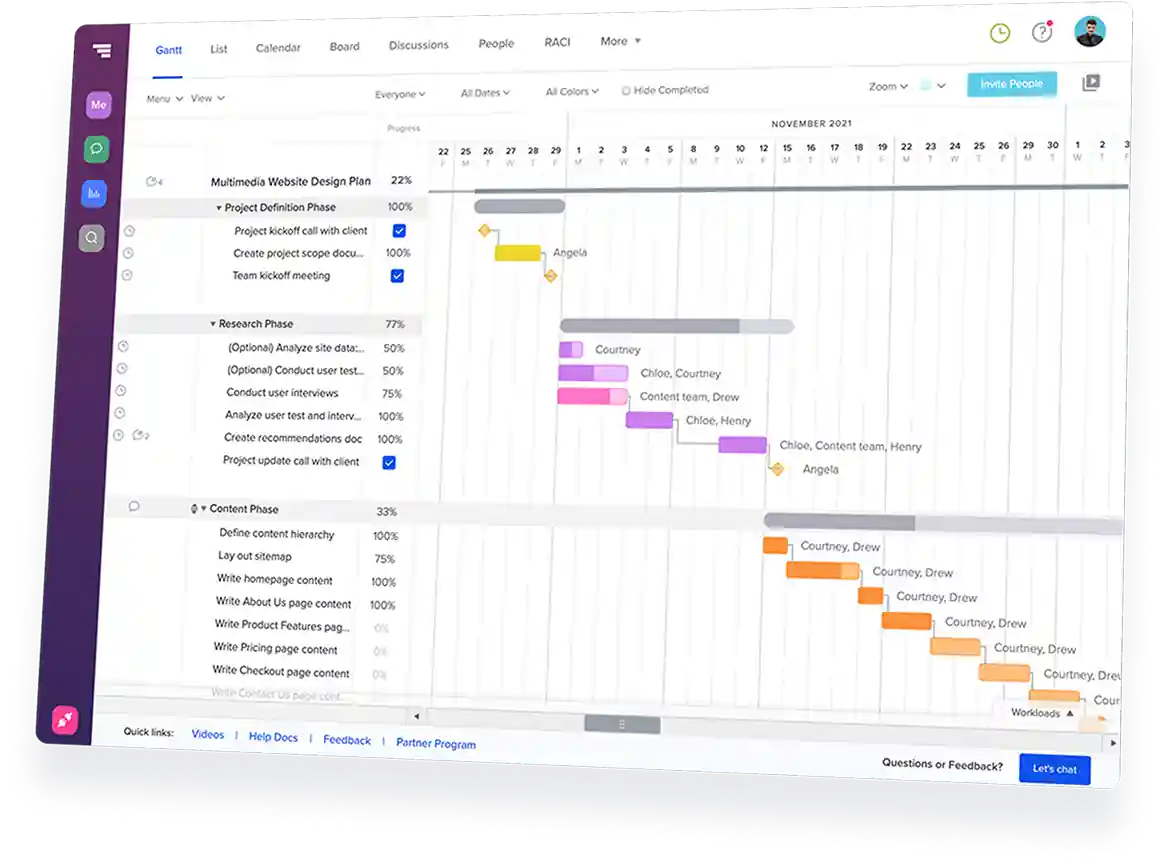
Walk into Monday knowing where each job stands. TeamGantt keeps the whole week in front of you, with one live view of every active job—and every crew, sub, and handoff.
Trusted by teams around the world
One schedule shift can put the whole construction job at risk. See how Builder Edition keeps you ahead.
Get a personalized demo →

Simple scheduling for busy commercial GCs

See every job in one place

Check active project timelines side by side
Know what’s happening now and what’s next
Catch conflicts before they cause delays

Plan dates you can keep

See who’s available before promising a start date
Line up the right crew for the right job
Build the week around real capacity

Adjust the plan when work shifts

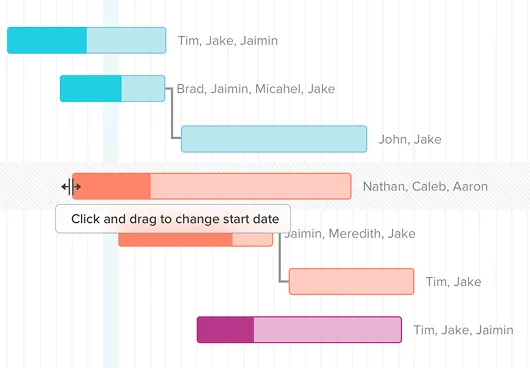
Move tasks when dates change
Keep linked work connected with dependencies
Update once, and everyone sees the latest schedule

Share progress with commercial clients

Send a live schedule link instead of a static PDF
Share the right level of detail with owners and tenants
Keep the office, field, and client on the same plan

Features that keep commercial jobs moving

Cross-project crew and resource visibility

See every crew’s workload across active jobs in one view
Spot double-bookings before anyone’s dispatched
Track crews and equipment in the same workload view
Reassign crews with drag and drop as plans shift

Subcontractor schedule confirmation

Send sub date confirmations by text or email
Let subs confirm scheduled work without creating an account
See who’s confirmed, pending, or needs follow-up
Keep confirmations tied to the schedule instead of group texts

Templates for repeatable commercial jobs

Build templates for tenant improvements, office fit-outs, and retail build-outs
Start each new job from a proven structure instead of a blank schedule
Remove what doesn’t apply instead of remembering what to add
Update templates so the next job starts smarter

Material lead times tied to scheduled work

Track long-lead items like structural steel and HVAC against install dates
See order-by dates before they sneak up on you
Spot at-risk install dates when a delivery runs late
Track pending orders across jobs on the Procurement Board

Success stories from
real construction teams

10-20%
saved on admin time
TeamGantt helps Maddox Planning work smarter, cutting admin time by 10-20%, with visibility to stay on schedule.
30%
revenue growth in 6 months
TeamGantt helped DayBrook Kitchen & Baths triple their revenue and earn more 5-star reviews from happy clients.
Dozens
of spreadsheets replaced
TeamGantt helps Champion Industrial keep office and field teams in sync and project delays under control.

Why small commercial GCs choose TeamGantt

Scheduling stays at the center

TeamGantt keeps dependencies, crew assignments, sub confirmations, progress, and material timing tied to one live schedule.

Works with the tools you already use

You run financials and change orders in Contractor Foreman and QuickBooks. TeamGantt fills the scheduling gap with clear visibility across every job.
Built for field adoption

Your crews and subs can check schedules, update progress, and confirm work without learning a heavy construction management platform.
Flat pricing, no per-seat fees

Builder Edition is $199/month flat with unlimited users and 10 projects. Add your crew, subs, and office staff without watching the headcount.

Still comparing scheduling tools?

See how construction scheduling software stacks up across pricing, features, and project fit before you commit.
Explore our Construction Buyer's GuideBook a personalized demo

Fast, friendly support you can count on

Quick answers when you need them from people who’ve got your back.
<5 min
Average response time during weekdays
7 days
Weekday, weekend, and evening support
100+
Tutorials and docs available on-demand

Frequently asked
questions

Need more info?
Check out our help center for all the details.
Browse our help center

What is construction scheduling software for general contractors?

Construction scheduling software for general contractors puts every trade, crew, and delivery on one shared schedule that updates as plans change.

For a GC running several jobs at once, it replaces the spreadsheets, static PDFs, and phone calls the plan usually lives in. That helps you catch a slip on one job before it blindsides the next—and keeps the schedule from living in one person’s head.

Why use TeamGantt for commercial GC scheduling?

TeamGantt is built around the Gantt chart, so the schedule stays at the center of the work. For a commercial GC, that means seeing every crew's workload across your active jobs in one view and confirming sub dates by text or email. You can track material lead times and share live schedule updates with clients from the same place.

Builder Edition is $199/month flat, with unlimited users and 10 projects. Running more than 10 jobs at once? We can help you find the right fit.

Will my field crew and subs actually use this?

TeamGantt is built for simple field access. Subs can get schedule confirmations by text or email, see the work assigned to them, and confirm without creating an account. Field crews can check tasks and update progress from their phones.

It won’t replace every heads-up call, especially when a trade runs long or a handoff needs extra context. But it cuts the Monday round of calls telling every sub where they’re working this week.

Can TeamGantt work alongside Contractor Foreman and QuickBooks?

TeamGantt doesn’t offer native Contractor Foreman or QuickBooks integrations today. You can connect scheduling data through TeamGantt’s API, Zapier, or CSV export/import if your team needs a workaround.

Do I need Procore if I'm a small commercial GC?

Not always. If you mainly need scheduling, crew visibility, sub coordination, and live schedule sharing, TeamGantt gives you those tools without the complexity that often comes with larger construction platforms.

For jobs that do run in Procore, you can push your TeamGantt schedule into Procore’s Schedule tab and re-sync it when the plan changes—so you still build the schedule once, in TeamGantt.

How do I track material lead times in my construction schedule?

In TeamGantt, material lead times tie to scheduled tasks and required-on-job dates, so order-by dates stay connected to planned install dates. When the schedule shifts, the material timing moves with it.

The Procurement Board shows pending orders across your jobs, so you can catch late materials before they delay the crew.
1,000+ 5-star reviews,

96% customer retention

  • Plan and schedule projects faster
  • Keep teams aligned in real time
  • Deliver on time—with less stress
Try TeamGantt Builder Edition free for 14 days
Cancel anytime.
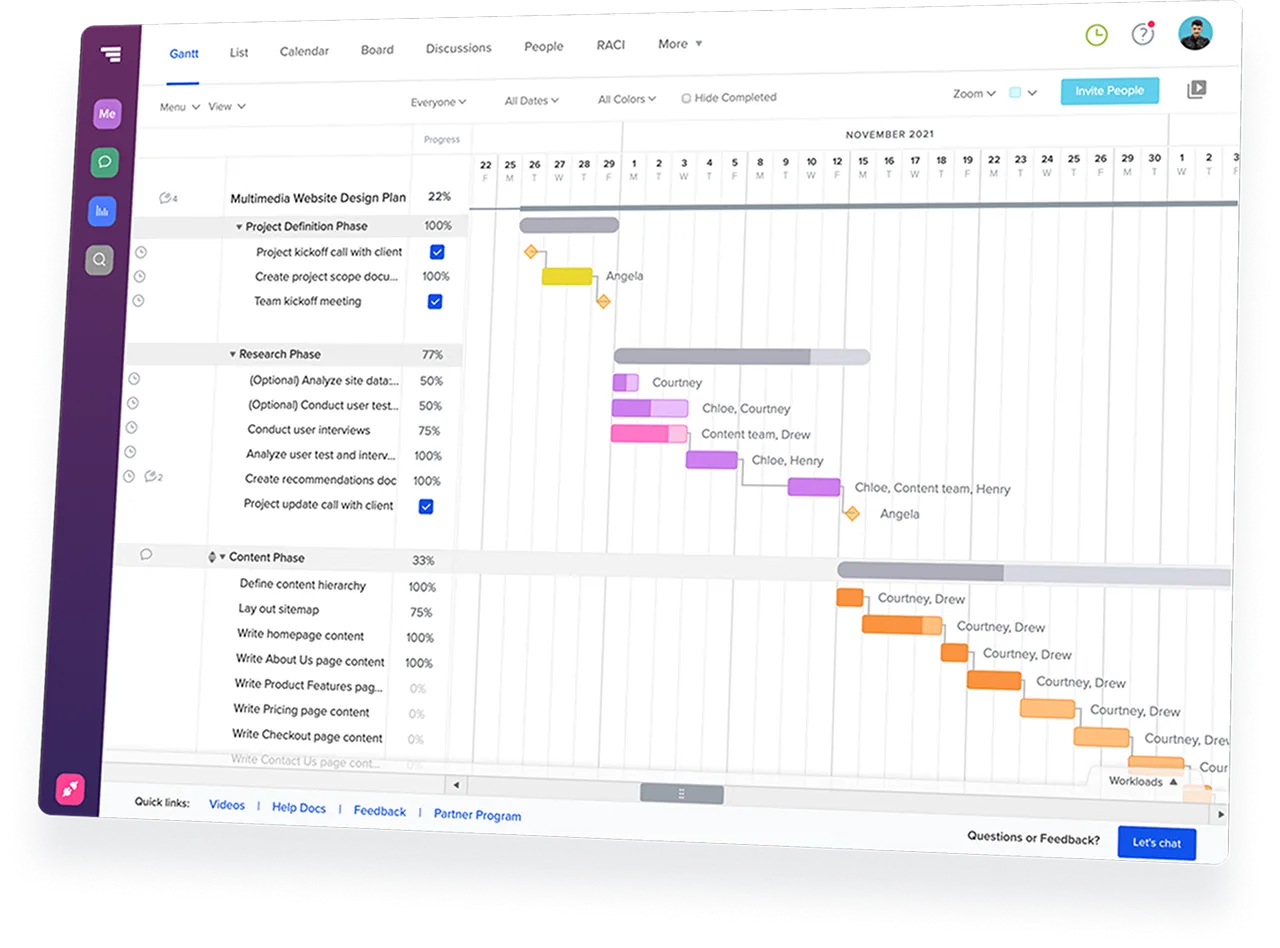
TeamGantt Gantt chart software displaying a construction project timeline with task groups and dependencies.
Rating
4.8
Rating
4.6
Rating
4.6
G2 Crowd logo
GetApp logo
Capterra logo