












Trusted by 2,000,000+ users worldwide

Residential Remodeling Scheduling Software

Keep remodels on track. Win the next referral.

Get easy-to-use scheduling for crews, subs, materials, and homeowner updates—so one delay doesn’t throw off every job.
Trusted by teams around the world
One schedule shift can put the whole construction job at risk. See how Builder Edition keeps you ahead.
Get a personalized demo →

Remodel schedules everyone on the job can use

Start new remodels in minutes, not hours

Use AI to create a draft schedule in minutes
Start from a past schedule instead of a blank plan
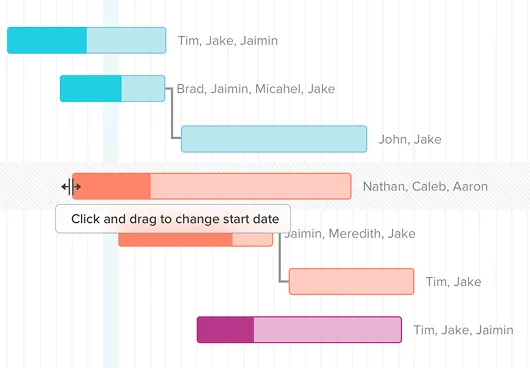
Adjust timelines with drag-and-drop editing

Stop double-booking your subs

See who's committed before you assign work
Send schedule confirmations by email or text
Move work without chasing every sub for updates

Give homeowners a live view

Share a live view homeowners can check themselves
Send messages and photo updates in the same place
Reduce random "where are we?" calls and texts

Reschedule delays without rebuilding the plan

Move one task and the rest of the plan shifts
Catch schedule slips before they spread
Compare planned vs. actual progress

Features for remodelers managing multiple jobs

Templates for repeatable planning

Start new jobs from a proven schedule structure
Standardize phases, dependencies, and task assignments
Customize each new schedule to the details of the job
Reassign resources with simple drag and drop

Sub coordination across remodels

View crew and sub commitments across active projects
Spot scheduling overlaps before you promise dates
Let subs see their tasks without creating an account
Confirm schedule updates with subs by email or text

Clear visibility for homeowners

Give homeowners a live view of project progress
Choose which project details homeowners can see
Share messages and photo updates in one place
Show schedule changes without sending a new PDF

Material lead times tied to installs

Connect material lead times to planned install dates
See order-by dates before they sneak up on you
Flag late materials before they delay the crew
Order deadlines update when install tasks shift

Success stories from
real construction teams

10-20%
saved on admin time
TeamGantt helps Maddox Planning work smarter, cutting admin time by 10-20%, with visibility to stay on schedule.
30%
revenue growth in 6 months
TeamGantt helped DayBrook Kitchen & Baths triple their revenue and earn more 5-star reviews from happy clients.
Dozens
of spreadsheets replaced
TeamGantt helps Champion Industrial keep office and field teams in sync and project delays under control.

Why remodelers choose TeamGantt Builder Edition

Scheduling stays at the center

TeamGantt keeps dependencies, lead times, crew assignments, and homeowner updates tied to one live schedule.

Built for field adoption

Your field team can check tasks, update progress, and move work without learning an all-in-one construction platform.
Connected to everyone

Your team manages the plan, subs confirm scheduled work, and homeowners see the updates you choose to share.
$199/mo flat, unlimited users

Add your field team, subs, and office staff without per-seat fees. Builder Edition is $199/month flat and includes 10 projects.

Still comparing scheduling tools?

See how construction scheduling software stacks up across pricing, features, and project fit before you commit.
Explore our Construction Buyer's GuideBook a personalized demo

Fast, friendly support you can count on

Quick answers when you need them from people who’ve got your back.
<5 min
Average response time during weekdays
7 days
Weekday, weekend, and evening support
100+
Tutorials and docs available on-demand

Frequently asked
questions

Need more info?
Check out our help center for all the details.
Browse our help center

What is remodeling scheduling software?

Remodeling scheduling software helps residential contractors plan, sequence, and track renovation projects from one shared schedule. It keeps crews, subs, materials, and homeowners aligned as work moves through kitchen remodels, bath renovations, additions, and whole-home projects—instead of scattering the plan across spreadsheets, texts, and phone calls.

For remodelers running several jobs at once, that means coordinating crews, spotting conflicts, tracking material lead times, and keeping homeowners informed when plans change—all from one place.

Why use TeamGantt for remodeling scheduling?

TeamGantt is built around the schedule—not bolted onto a CRM or accounting system. Every feature ties back to your project timeline, from material lead times and dependency cascading to the Client Portal and sub confirmation.

Drag-and-drop scheduling makes it fast to plan and adjust remodel timelines. With one live plan, your field team and office stay aligned without chasing down updates.

Your subs and field team don't need their own accounts to see what's on their plate—email confirmations and shared task links require no login. TeamGantt also helps you start new remodel schedules faster, with AI-assisted drafts, reusable templates, and the option to build from a past schedule.

TeamGantt Builder Edition is $199/month flat, with unlimited users and 10 projects. If you've been paying for a construction suite and mainly using the scheduling, this is the part you actually need—at a price that reflects it.

Will my field team actually use this on the jobsite?

That's the question that matters most. Your field team can see tasks in a mobile list view, update progress with a tap, and move on.

They don't need to understand Gantt charts or learn a full construction management platform to keep a schedule current. If they can open a link and tap a checkbox, they can use TeamGantt.

How does TeamGantt handle change orders and schedule adjustments for remodels?

TeamGantt helps keep your schedule accurate when scope changes, weather delays work, or materials arrive late. When a homeowner approves a change or weather pushes your framing crew to next week, move the affected task and every downstream dependency updates automatically—so you're not manually pushing 14 tasks.

For change order documentation, TeamGantt supports task-level notes, file attachments, and comment threads tied to specific schedule items—from selections changes to punch list additions. It does not currently include a built-in change order approval workflow that triggers automatic cost adjustments. If that's a requirement, you'd handle approval in your existing process and reflect the timeline change in TeamGantt.

What if I need QuickBooks integration or homeowner selections and approvals?

TeamGantt does not currently integrate with QuickBooks, and the Client Portal is not built to replace a full homeowner selections-and-approvals workflow. Homeowners can view their schedule, send and receive messages, and see photo updates—but it's not the selections-and-approval system Buildertrend offers. If you're coming from Buildertrend, those are real differences worth knowing upfront.

What TeamGantt does offer is the scheduling layer remodelers actually use: dependency cascading, reusable templates, sub confirmation, material lead times, multi-project visibility, and live homeowner updates. Many remodelers run TeamGantt for scheduling alongside their accounting and communication tools rather than paying for a construction suite where scheduling is one feature among many.

Need help deciding? Our Construction Buyer's Guide and Buildertrend comparison lay out the tradeoffs side by side.
1000+ 5-star reviews,

96% customer retention

  • Plan and schedule projects faster
  • Keep teams aligned in real time
  • Deliver on time—with less stress
Try TeamGantt Builder Edition free for 14 days
Cancel anytime.
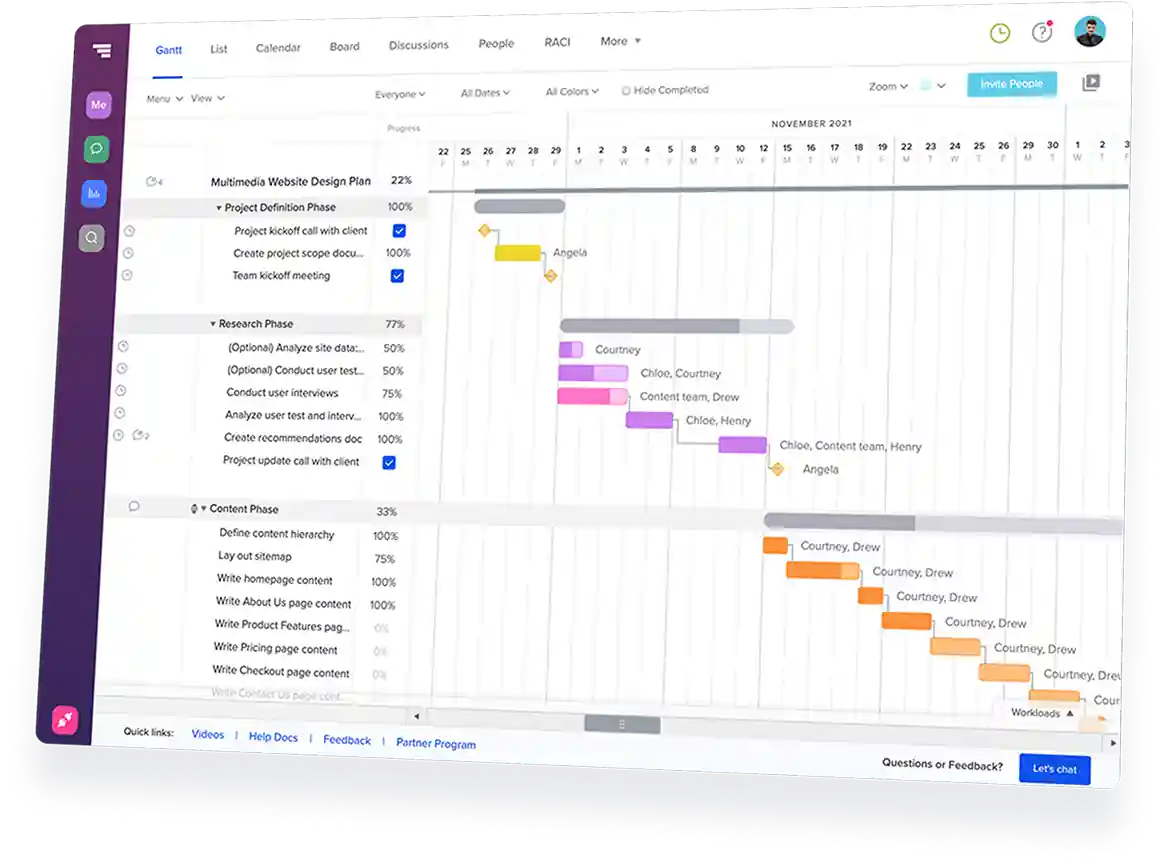
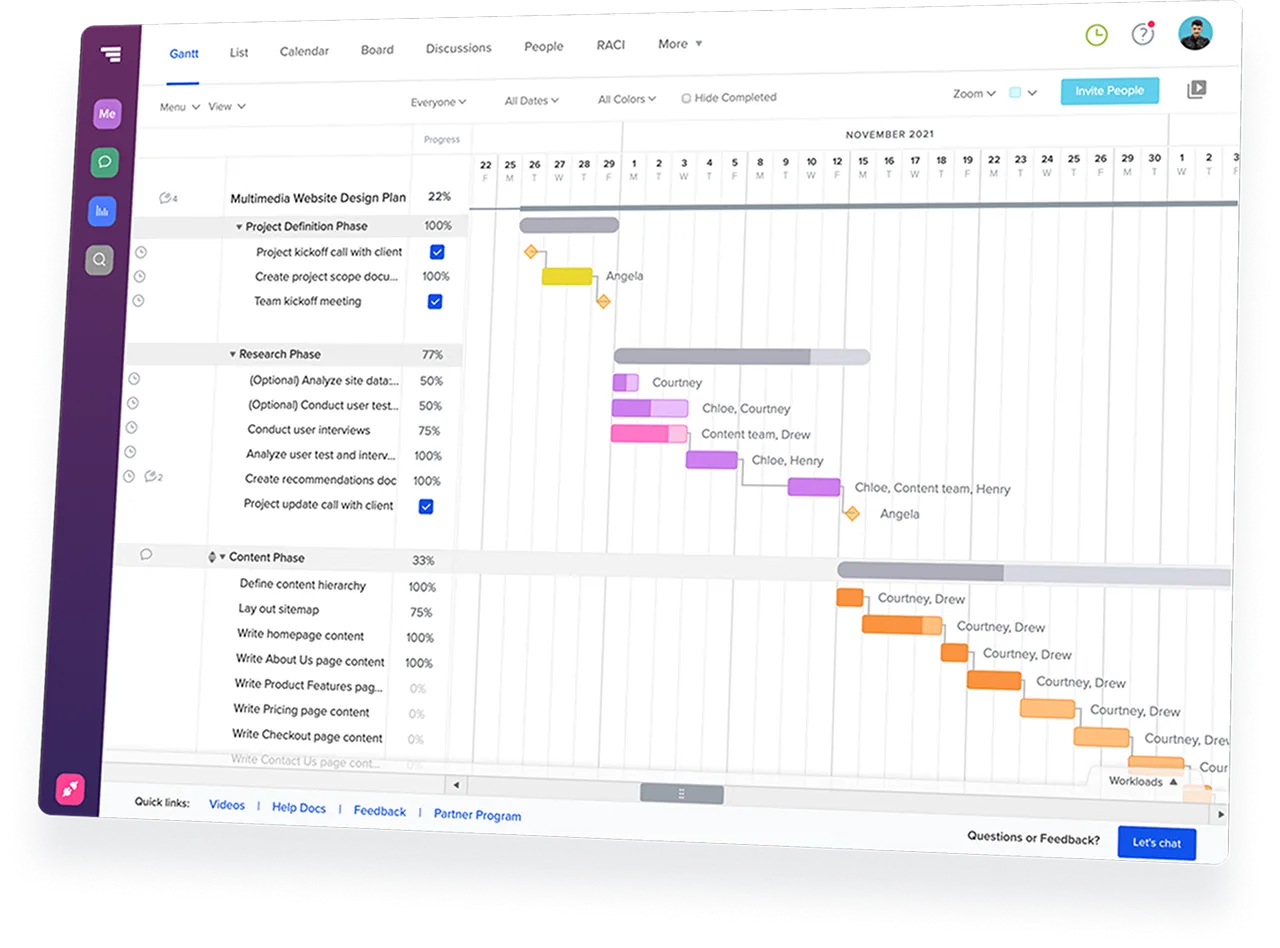
TeamGantt Gantt chart software displaying a construction project timeline with task groups and dependencies.
Rating
4.8
Rating
4.6
Rating
4.6
G2 Crowd logo
GetApp logo
Capterra logo