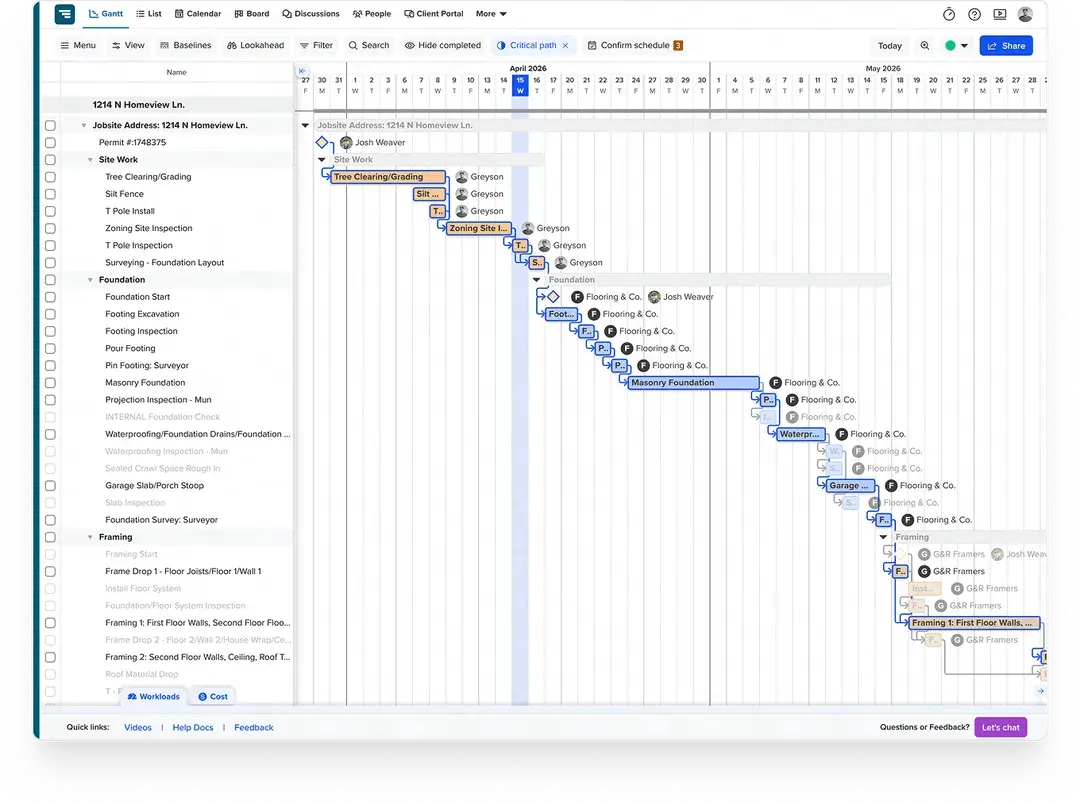
TeamGantt keeps schedules moving in real time, with subcontractor confirmation, client communication, and material tracking built in.
Start your free 14-day trial







Most builders use a fraction of what Microsoft Project offers—and pay for 100% of what they don’t.








When a job shifts, the schedule should keep up—without routing every
update through one power user.
TeamGantt is built for fast,
flexible scheduling that keeps people and projects moving.

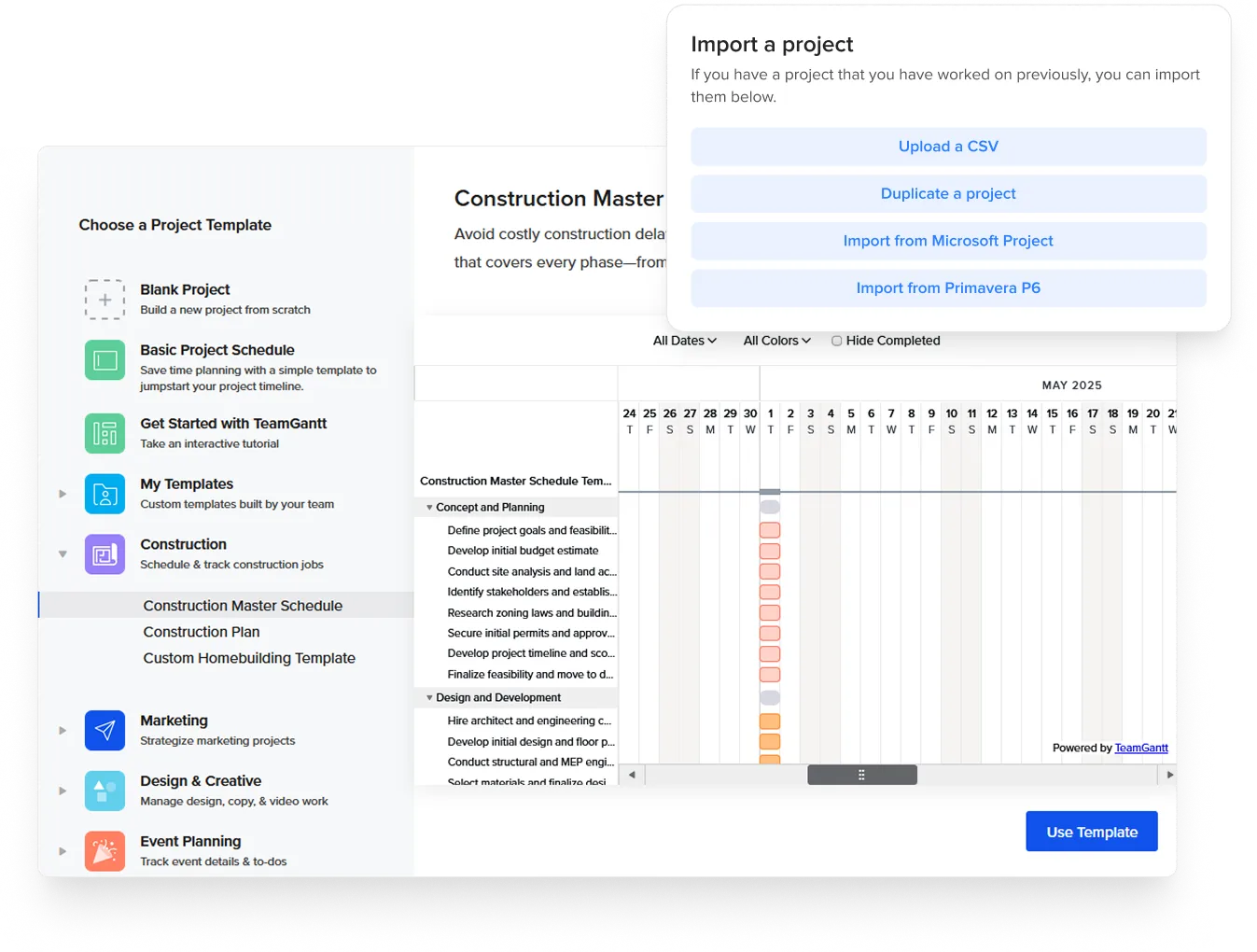
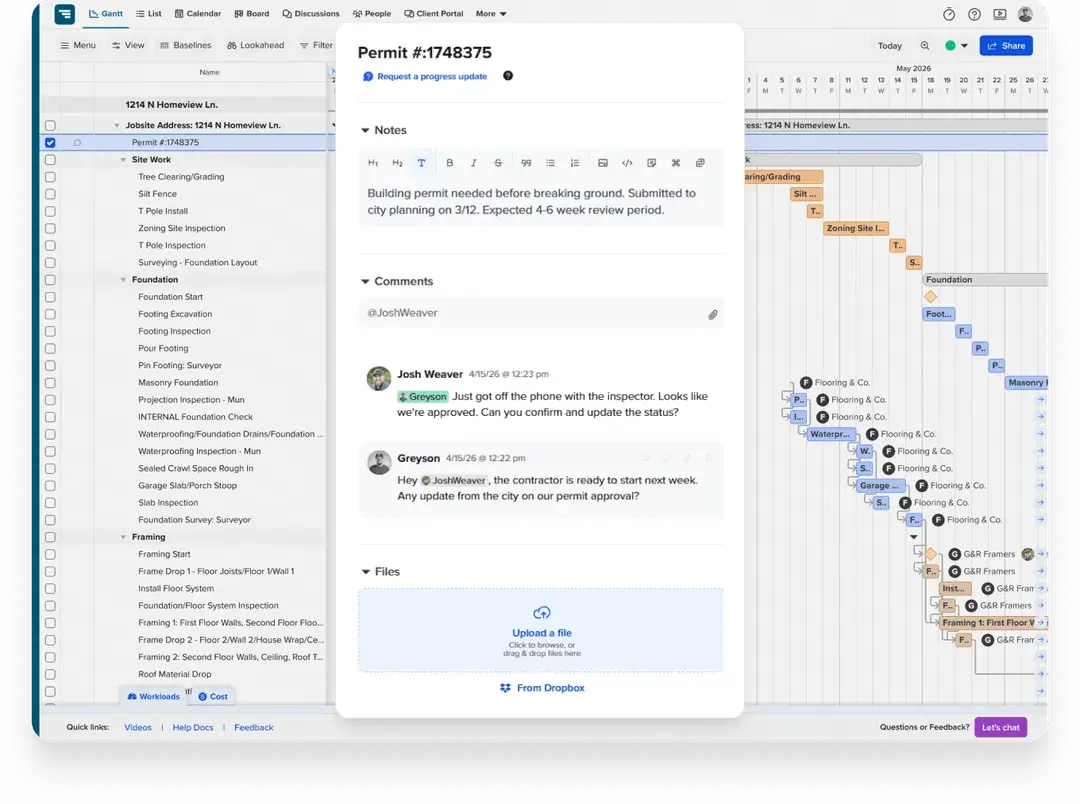
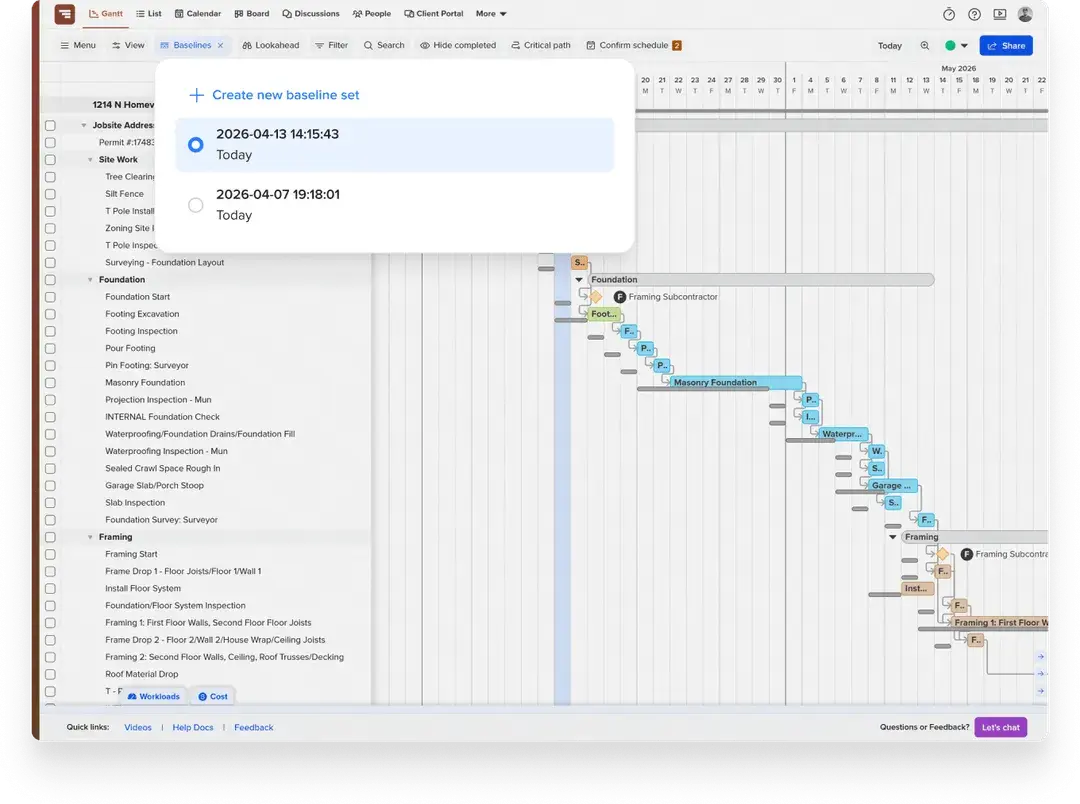
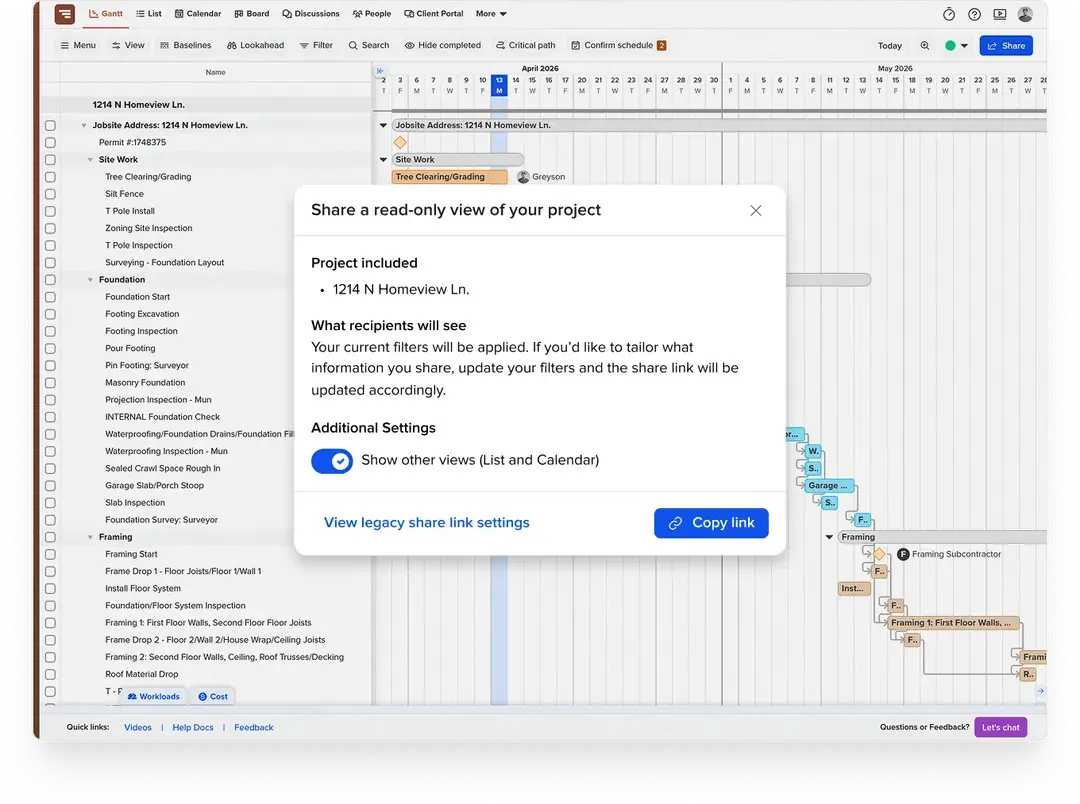
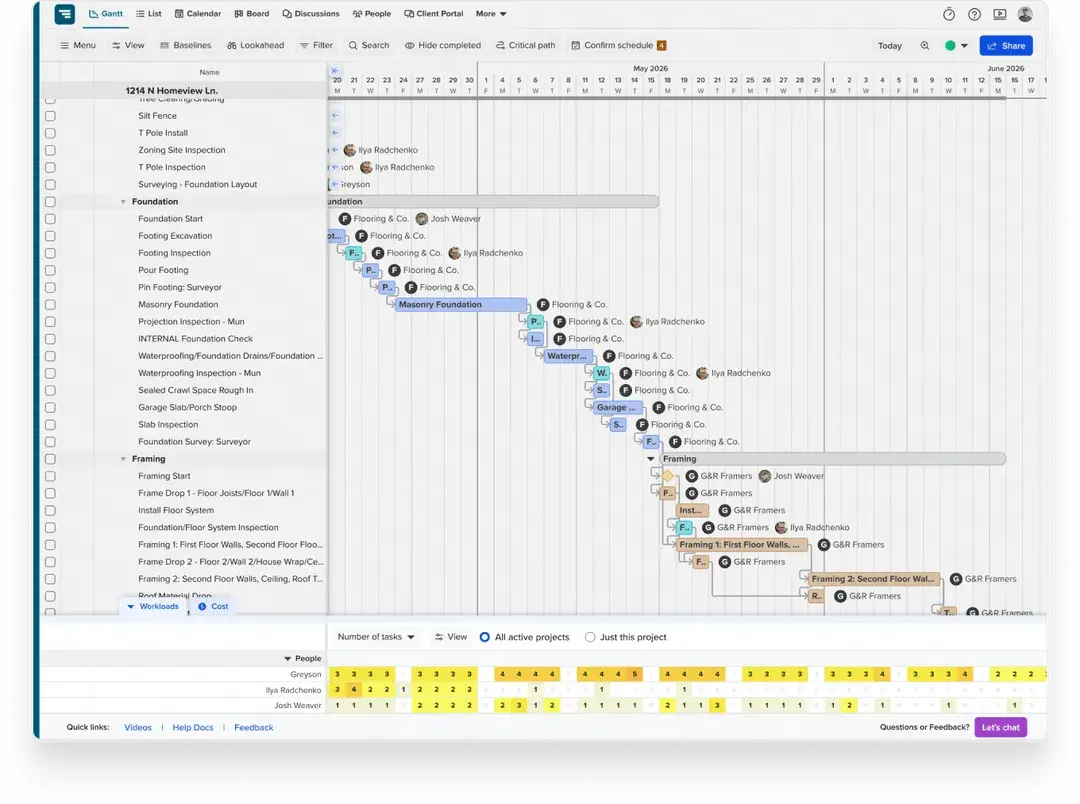
TeamGantt integrates with the tools residential builders already use—including Microsoft Project, Procore, Excel, Google Calendar, Dropbox, and Zapier. Import an existing schedule, sync your calendar, or connect your workflow tools without rebuilding your process
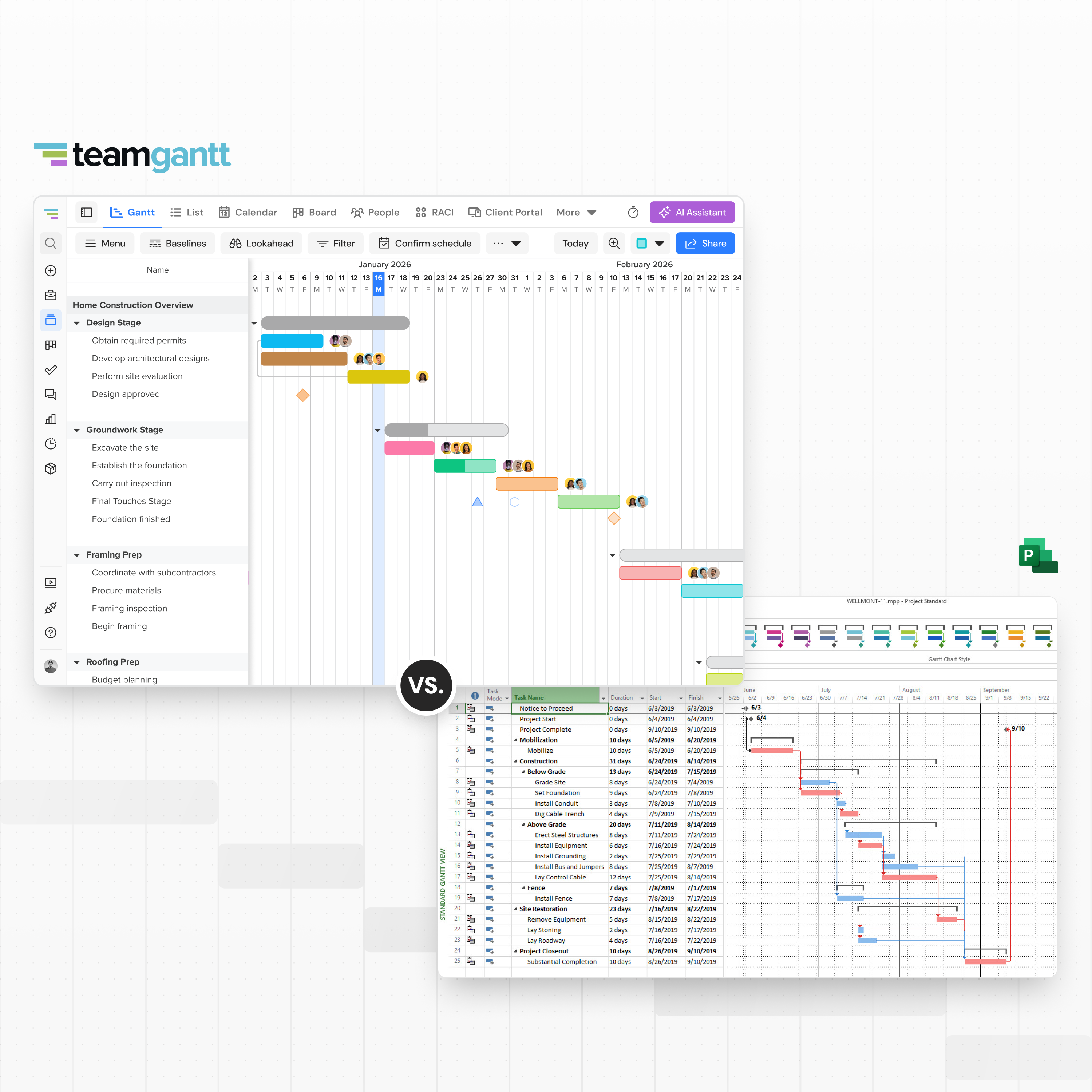
TeamGantt is built for real-time coordination across your team. Microsoft Project is built for detailed planning by a trained scheduler. Here's how they compare on the decisions that matter most for residential builders.


Use this checklist to choose the tool that fits your construction workflow.


Yes. TeamGantt is built for how residential construction teams actually work—coordinating crews, subcontractors, materials, and timelines across multiple jobs.
Builders use TeamGantt to confirm subcontractor dates, create lookahead schedules, track material lead times, and share real-time updates with clients through a simple link or client portal. The schedule stays live, visible, and easy to adjust as work changes.
Yes—if your main need is a schedule your team will actually use. TeamGantt is faster to set up, easier to share, and built for collaboration.
MS Project is stronger for organizations that rely on formal project controls and PMO-style governance, like tracking schedule variance against baselines, automated resource leveling, and detailed cost and reporting workflows.
If adoption is your biggest challenge, TeamGantt is the better fit.
TeamGantt makes it easier to keep your schedule aligned with what’s actually happening on the job.
Instead of relying on one person to manage and distribute updates, changes happen in one place and are visible to everyone immediately. Subcontractors, crews, and clients all stay aligned without extra coordination.
The result is a schedule that stays current and gets used—not one that falls out of date.
Microsoft Project is designed for organizations that need formal project controls and deeper analysis.
It includes capabilities like tracking schedule variance against baselines, automated resource leveling, and built-in cost and reporting workflows. It also supports more structured PMO-style governance and enterprise portfolio management in higher-tier plans.
TeamGantt focuses on keeping schedules simple, visible, and easy for teams to use. If your organization depends on detailed reporting, cost control, and formal governance processes, MS Project may be the better fit.
For most teams, yes—but it’s optimized for a different kind of work.
TeamGantt includes the scheduling features teams use every day—dependencies with lead/lag, baselines, critical path visibility, and workload and portfolio views—without the complexity that slows adoption.
MS Project goes deeper into analysis and control, with features like earned value reporting, automated resource leveling, and formal governance workflows.
TeamGantt’s simplicity is intentional: it prioritizes a schedule your whole team can use and keep up to date.
Switching is straightforward. You can import your MS Project file (.mpp) and bring over tasks, dates, dependencies, and progress.
Most builders can get a working schedule up and shared with their crew the same day—without a long migration process. From there, it’s easy to adjust assignments, update the plan, and keep everything aligned as work moves forward.
No. Homeowners, subcontractors, and trade partners can view the live schedule through a secure link—no login required.
Subcontractors can also confirm dates via email or text without creating an account, so everyone stays aligned without extra coordination or licensing.
TeamGantt uses flat-fee pricing, so you pay one predictable monthly cost instead of managing per-user licenses as your team grows.
TeamGantt Builder Edition starts at $199/month with unlimited users and a 14-day free trial. MS Project Professional costs $1,129.99 per desktop license, while subscription plans with advanced project features start at $30/user/month.
For lean builder teams, Microsoft’s per-user pricing can get expensive fast—especially when multiple people need access to the schedule.
Yes. TeamGantt is browser-based and works on Mac, PC, tablet, and mobile devices—no installs required.
MS Project Professional (the full desktop version) is PC-only, with limited access on other devices through web-based plans.
TeamGantt makes it easy for teams to stay connected across the office and jobsite, regardless of device.
Yes. MS Project Online will retire on September 30, 2026, and new-customer sales ended October 1, 2025.
Microsoft is transitioning customers toward Microsoft Planner and related web-based tools, which handle scheduling and collaboration differently. For teams that rely on Gantt-based scheduling with dependencies, baselines, and real-time coordination, that shift can introduce additional complexity.
TeamGantt provides a dedicated, schedule-first approach without requiring a platform transition.