












Trusted by 2,000,000+ users worldwide

Construction Operations Scheduling Software

See every crew across every project

Walk into the week knowing where crews are booked, which jobs need attention, and where schedules may get tight. TeamGantt helps you coordinate work across projects without replacing P6 or Procore.
Trusted by teams around the world
One schedule shift can put the whole construction job at risk. See how Builder Edition keeps you ahead.
Get a personalized demo →

Cross-project scheduling for operations teams

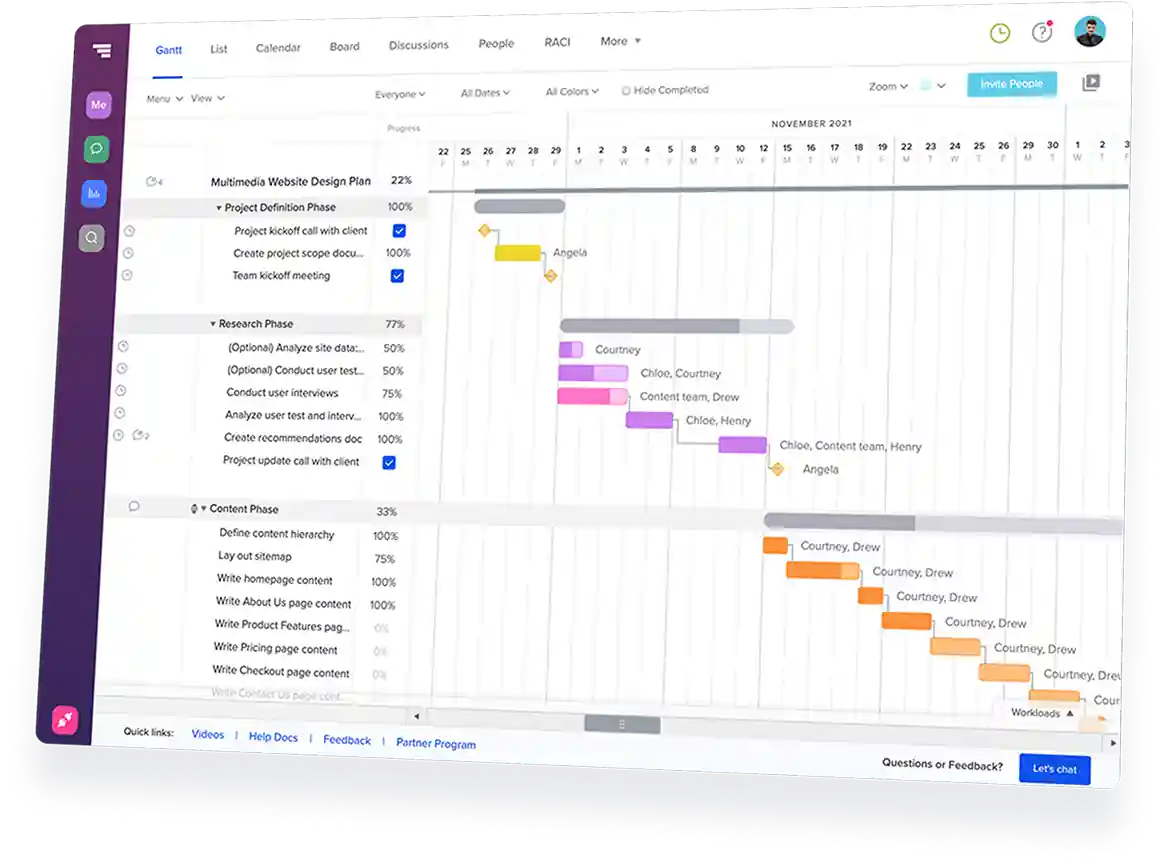
See every active job in one view

Open multiple projects in a single Gantt chart
Track crew workloads across all projects
Spot jobs that are on schedule or slipping

Know where crews are committed

Spot double-bookings before they become field calls
Assign work with existing commitments in view
Check availability before promising start dates

Keep project managers aligned

Standardize project phases and task structures
Start every project from the same playbook
Share schedules with subs—no login required

Work alongside your existing tools

Import P6 and Microsoft Project schedules
Upload TeamGantt schedules to Procore
Add visibility without rebuilding your process

Features for coordinating crews, costs, and materials

Global workload planning

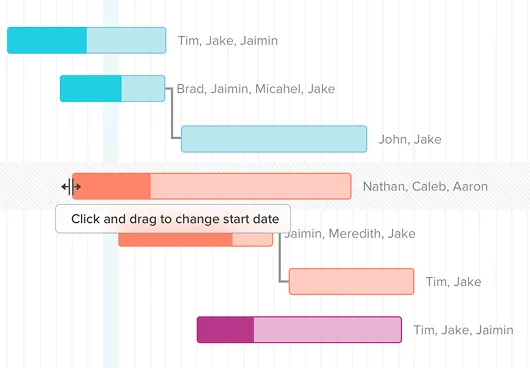
Review crew and equipment workloads across every active project
Click into any day to see assigned tasks and project details
View workload by day, week, or month in the Gantt chart

Material lead-time tracking

Set required-on-job dates for long-lead materials
Track purchaser, PO, status, and due dates for orders
Catch order-by dates before they sneak up on the schedule

Cost-loaded scheduling

Add budgeted costs directly to scheduled tasks
View monthly cost totals across open or active projects
Understand how schedule changes affect cash flow timing

Procore and P6 compatibility

Upload schedules and push changes to Procore’s Schedule tab
Import Primavera P6 schedules into TeamGantt with XER files
Connect HCSS HeavyJob, HeavyBid, or custom tools through the API

Success stories from
real construction teams

10-20%
saved on admin time
TeamGantt helps Maddox Planning work smarter, cutting admin time by 10-20%, with visibility to stay on schedule.
30%
revenue growth in 6 months
TeamGantt helped DayBrook Kitchen & Baths triple their revenue and earn more 5-star reviews from happy clients.
Dozens
of spreadsheets replaced
TeamGantt helps Champion Industrial keep office and field teams in sync and project delays under control.

Why construction ops managers choose TeamGantt

Clear portfolio visibility

See crews, schedules, and active jobs in one place without adding the complexity of an enterprise scheduling platform.

Fewer schedule handoffs

Give the people who make staffing and scheduling decisions direct access to the information they need.
No per-seat licensing wall

Give more people access to the schedule without paying for every seat or limiting visibility to a small group of users.
Simple enough for daily use

TeamGantt is easy to learn, easy to update, and practical enough to become part of your weekly planning routine.

Still comparing scheduling tools?

See how construction scheduling software stacks up across pricing, features, and project fit before you commit.
Explore our Construction Buyer's GuideBook a personalized demo

Fast, friendly support you can count on

Quick answers when you need them from people who’ve got your back.
<5 min
Average response time during weekdays
7 days
Weekday, weekend, and evening support
100+
Tutorials and docs available on-demand

Frequently asked
questions

Need more info?
Check out our help center for all the details.
Browse our help center

Why do construction operations teams use TeamGantt?

TeamGantt gives construction operations teams one place to coordinate crews, schedules, materials, and costs across active jobs.

You can open multiple projects in one Gantt chart, review crew and equipment workloads, track material lead times, and use cost-loaded schedules to understand cash flow timing. 

TeamGantt also works alongside your existing construction stack with P6 imports, Procore schedule uploads, and API access for HCSS or custom tools.

Does TeamGantt replace Primavera P6?

No—and that’s the point. P6 handles your detailed CPM schedules for individual projects. TeamGantt gives your operations team a portfolio coordination layer that works alongside P6.

Your project managers can keep their CPM schedules, while resource leaders and division heads get a clearer view of crew commitments across jobs. Import XER files from P6 to bring schedule data into TeamGantt.

Can resource leaders and division leads use TeamGantt without scheduling training?

Yes. TeamGantt makes schedules easier to share, understand, and act on.

Resource leaders can see where crews and equipment are assigned. Division leads can look ahead at upcoming work, spot coordination issues, and weigh in on schedule decisions without managing the schedule themselves. 

They don’t need P6 certification, consultant-led training, or a deep scheduling background to understand what’s planned.

How does TeamGantt keep schedule updates from becoming another admin burden?

TeamGantt keeps schedule coordination lightweight by giving each role the right level of access. Resource leaders can review crew assignments, project managers can update their schedules, and operations managers can check workload across jobs without chasing spreadsheets or waiting on one scheduler to rebuild the plan.

Teams still need to keep schedules updated, but the work happens in one shared place instead of across phone calls, PDFs, and disconnected files.

Can I import my existing schedules from P6 or Microsoft Project?

Yes. Your team can bring existing schedules into TeamGantt instead of rebuilding from scratch.

TeamGantt supports XER import for Primavera P6, MPP import for Microsoft Project files, and CSV import.

What are the limitations of TeamGantt for construction operations?

TeamGantt gives operations teams cross-project scheduling visibility, but it does not replace enterprise CPM or portfolio analytics tools.

The global workload view helps you spot scheduling gaps and double-bookings, but it requires visual review. TeamGantt does not automatically calculate the next available crew.

Reporting is also simpler than Oracle Primavera Cloud or Primavera EPPM. And while you can import XER files from P6, TeamGantt does not create a live sync back to P6.
1,000+ 5-star reviews,

96% customer retention

  • Plan and schedule projects faster
  • Keep teams aligned in real time
  • Deliver on time—with less stress
Try TeamGantt Builder Edition free for 14 days
Cancel anytime.
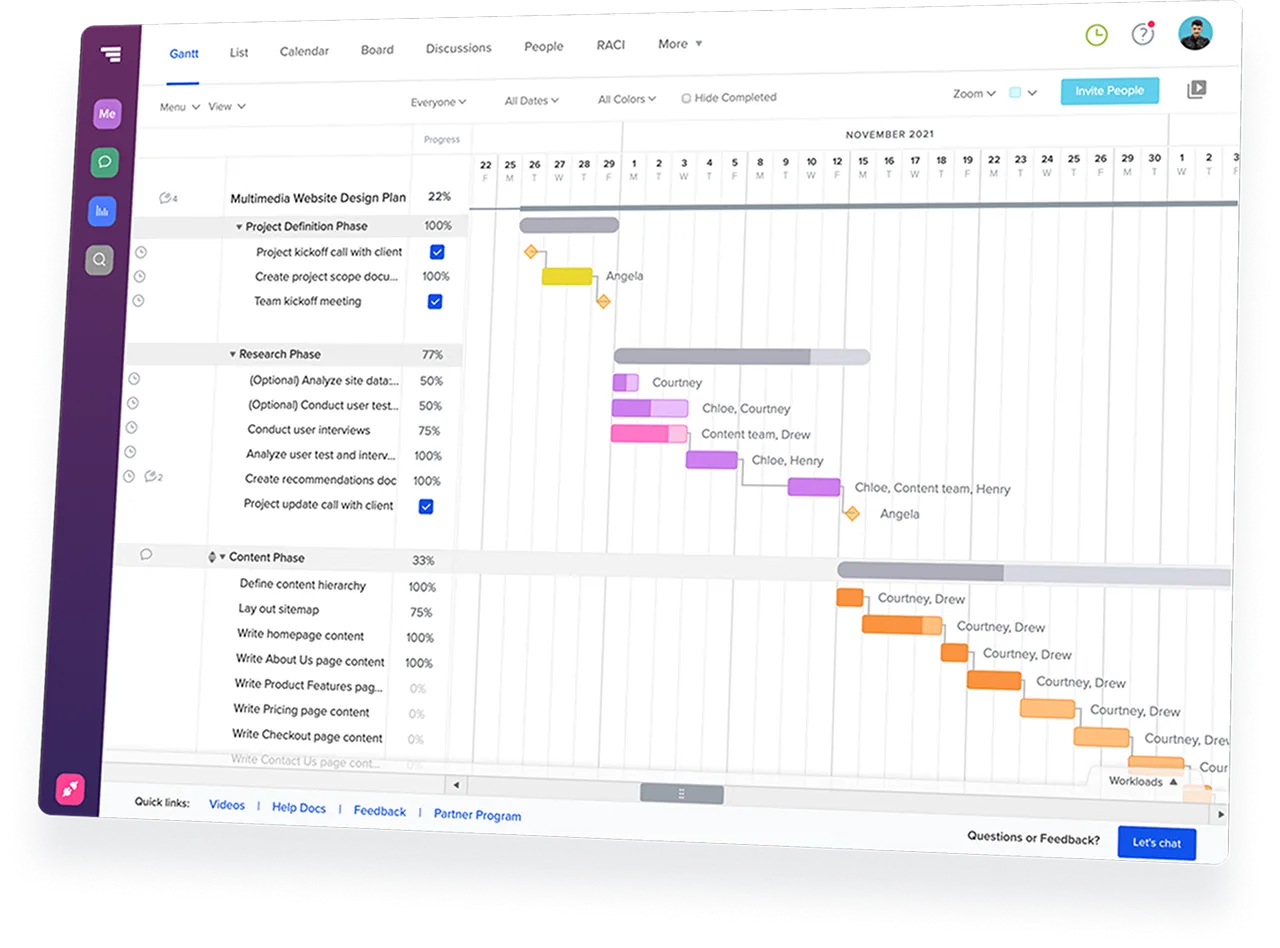
TeamGantt Gantt chart software displaying a construction project timeline with task groups and dependencies.
Rating
4.8
Rating
4.6
Rating
4.6
G2 Crowd logo
GetApp logo
Capterra logo