Free construction Gantt chart maker: Build a project schedule in minutes

Generate a construction schedule with phases, tasks,
milestones, and dependencies.
Start from any prompt like “build a single-family home”
or “kitchen remodel.”
Adjust dates, crews, handoffs, and delays with
drag-and-drop scheduling.
Rating
4.8
Rating
4.6
Rating
4.6
G2 Crowd logo
GetApp logo
Capterra logo
Pro tip: Paste your construction WBS, estimate, scope of work, or task list, and TeamGantt AI will turn it into an editable schedule.
Build a new house
Create a starter Gantt chart for building a new single‑family house.
Remodel a kitchen
Create a starter Gantt chart for a kitchen remodel.
Schedule social posts
Create a starter Gantt chart for scheduling social media posts.
Success!
Your project plan has been generated! If the download did not start click here.
Thank you! Your submission has been received!
Oops! Something went wrong while submitting the form.

More than 7,000,000 tasks
have been kept on track with TeamGantt

▷ Watch Review
0:23
“I use TeamGantt because I like to have the confidence that our schedule is in place, and that it is driven out into the field."

Matt Pearson

PM Director, Champion Industrial Contractors

▷ Watch Review
0:26
“TeamGantt helps produce programs which accurately depict what needs to be prepared for your planning application."

Ollie Cooper

Senior Planner, Maddox Planning

▷ Watch Review
0:48
“TeamGantt has improved our on-time delivery by over 30%, and our overdue submissions and  tasks by over 50% in just one month of using it."

John Raine

Director of Operations, Above Group

How to make a construction Gantt chart in 3 easy steps

Turn a construction scope into a live schedule your team can update as dates, crews, and dependencies change.

Text prompt field in TeamGantt’s Gantt chart maker with a sample project description and a button to generate a timeline or start from a template.
STEP 1

Describe your construction project

Enter a prompt like “single-family home build with permitting, foundation, framing, rough-ins, inspections, and final walkthrough.”

Generated Gantt chart in TeamGantt showing a website launch project with task groups, dependencies, and a timeline across phases.
STEP 2

Generate a construction schedule

Get a first draft with phases, tasks, milestones, inspections, and dependencies already mapped out.

TeamGantt task details window showing dates, percent complete, assignees, notes, comments, file upload, cost, and task dependencies.
STEP 3

Refine around real jobsite changes

Drag dates, update handoffs, assign owners, and keep the schedule current when weather, materials, or subcontractor delays happen.

Make a free Gantt chart

See the AI Gantt chart maker in action

Get a step-by-step walkthrough of how TeamGantt's AI generator turns plain language into a real, editable schedule.

Migrate in minutes without losing work

TeamGantt makes it easy to bring your projects over—so you can hit the ground running and keep teams on track.

Import your first project

Microsoft Excel

MS Project

Microsoft Project logo

Primavera P6

Built for Changing Construction Schedules

TeamGantt takes a fresh approach to Gantt charts—putting clarity, simplicity, and real results first.
Keeping office teams, clients, and field crews aligned

Easy to use

TeamGantt is built for simplicity so you can plan confidently. No training required.

Schedule-first design

Your schedule should drive the project—not feel like a feature that’s just tacked on.

Connected to everyone

Preventing delays is easy when everyone’s aligned around a single source of truth.

100% customer-funded

We answer to our users—not investors—and your success drives our product roadmap.

Fits into your existing workflow

Success stories from
real construction projects

10-20%
saved on admin time
TeamGantt helps Maddox Planning work smarter, cutting admin time by 10-20%, with visibility to stay on schedule.
3x
business growth
TeamGantt streamlined every phase—from estimating and bidding to crew scheduling and client updates.
30%
revenue growth in 6 months
TeamGantt helped DayBrook Kitchen & Baths triple their revenue and earn more 5-star reviews from happy clients.

Frequently asked
questions

Need more info?
Check out our help center for all the details.
Browse our help center

Can I create a Gantt chart for a construction project?

Yes. Describe your construction project, and TeamGantt AI can generate a starter schedule with phases, tasks, milestones, and dependencies. You can then edit dates, assign work, and manage the schedule in TeamGantt.

Can I make a residential construction schedule?

Yes. TeamGantt can help you create schedules for home builds, remodels, renovations, and other residential construction projects. Start with a prompt or use a construction schedule template.

Can I use a construction Gantt chart template?

Yes. You can start from TeamGantt’s construction schedule template, customize tasks and dates, and turn it into a live project schedule.

Can I import my construction schedule from Excel, MS Project, or P6?

Yes. TeamGantt supports importing schedules from CSV, Microsoft Project, and Primavera P6, making it easier to move from static files into a live, shareable schedule.
1,000+ 5-star reviews,

96% customer retention

  • Plan and schedule projects faster
  • Keep teams aligned in real time
  • Deliver on time—with less stress
Try TeamGantt Builder Edition free for 14 days
Cancel anytime.
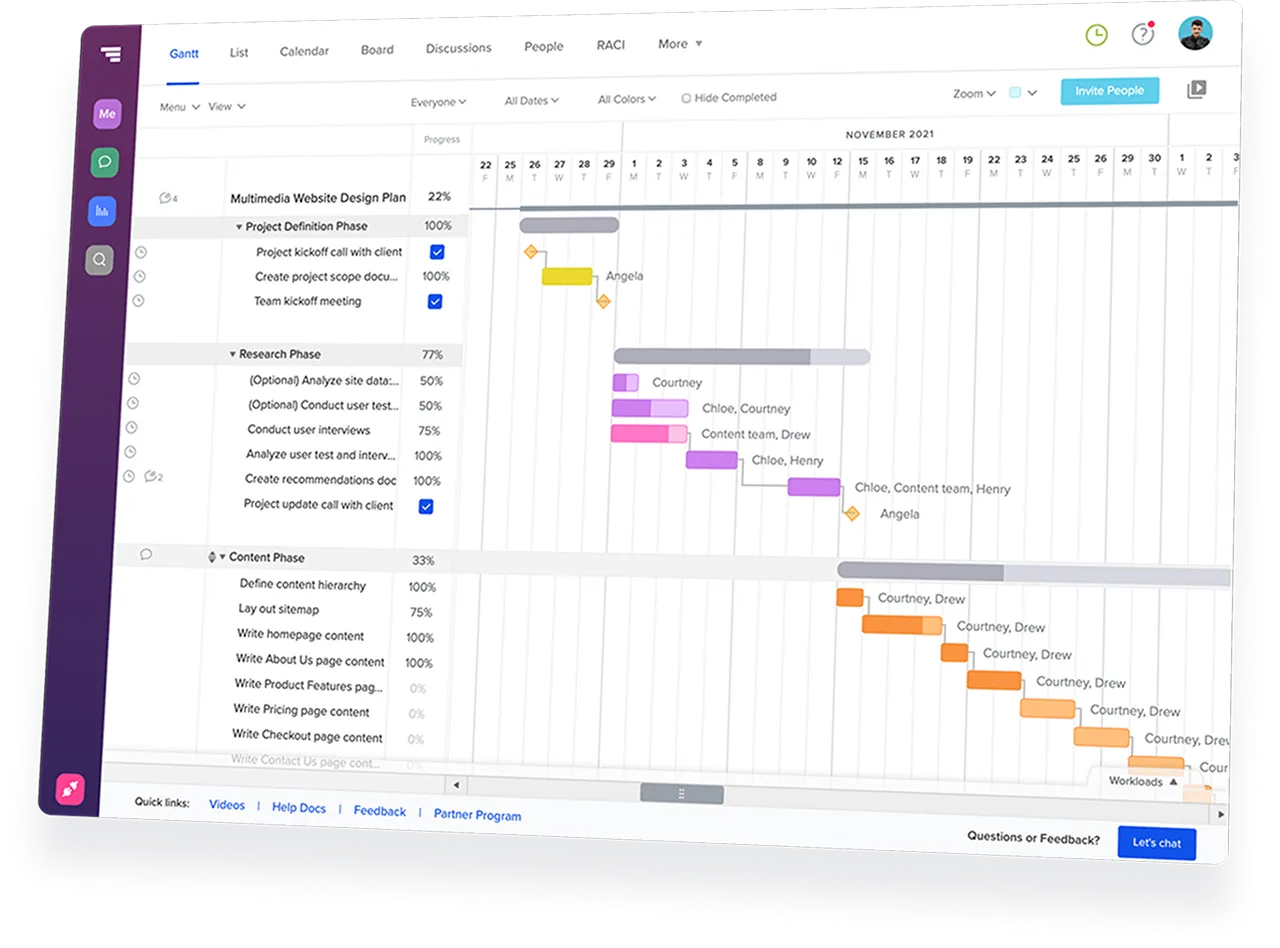
TeamGantt Gantt chart software displaying a construction project timeline with task groups and dependencies.
Rating
4.8
Rating
4.6
Rating
4.6
G2 Crowd logo
GetApp logo
Capterra logo