We’ve given Discussions a major update. Not only was some previous buggyness with the Notes editor resolved, but some new features have been added as well.
Comment reactions
React to comments with simple pre-set emoji options.
)
Notes formatting
Use a toolbar to format your note with the following options:
Change font styling
Add block quote, bulleted lists, and ordered lists
Insert images and videos into notes
Add a code block
Insert a note template
Keyboard shortcuts, including adding banners for extra-special callouts
Toggle plain text mode
)
Note templates
Note templates allow you to create a template from a note and inject it into future tasks. This is helpful if you use notes as a part of repeated processes.
Click on the “Insert template” icon in your Notes section toolbar to be able to preview and select from your available templates.
Note templates can be managed at the account level in Account Settings > Manage Note Templates.
)
Collapsible sections
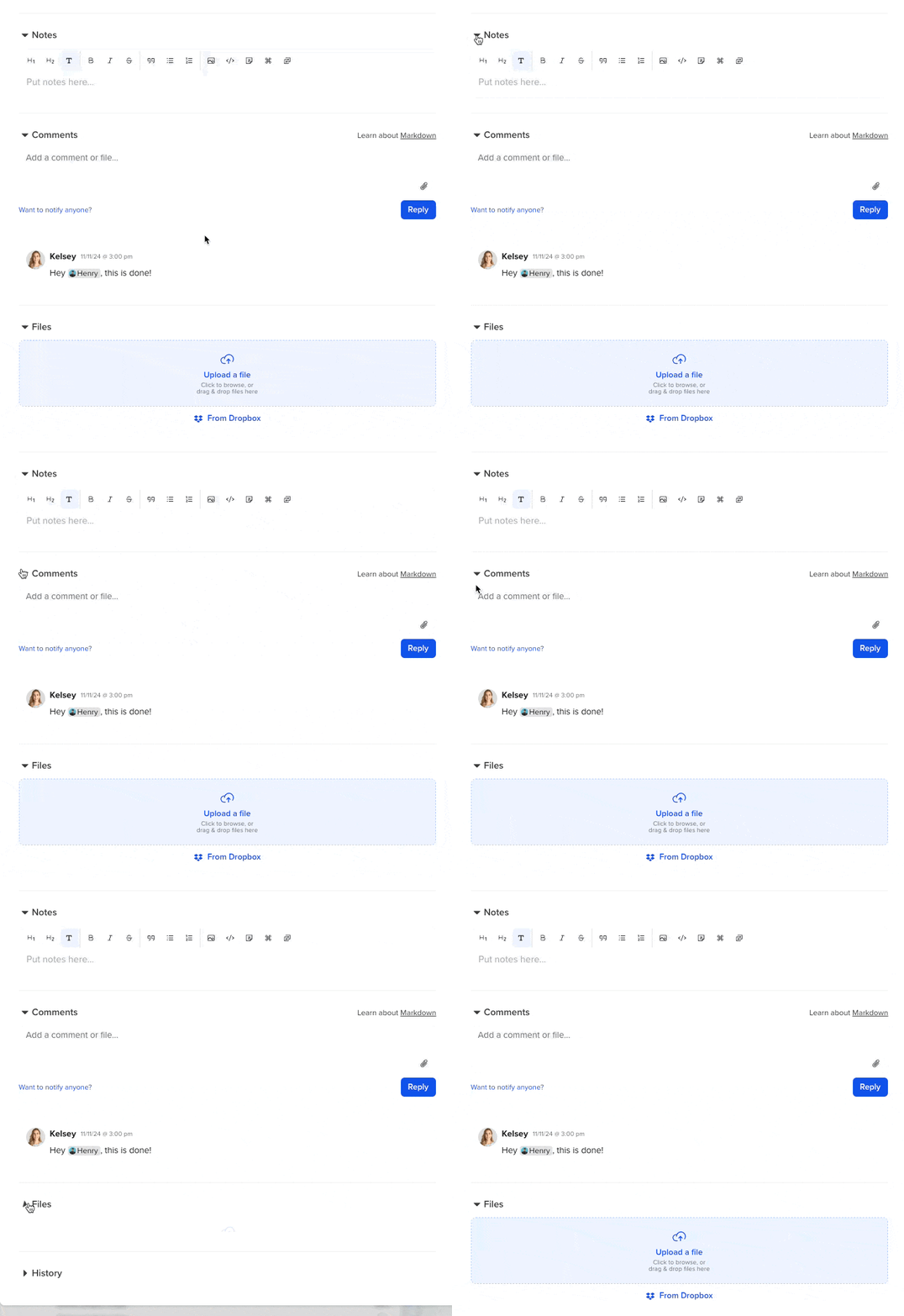
Quickly collapse Notes, Comments, or Files to streamline your Discussions view.

) TeamGantt's new sidebar and command palette
TeamGantt's new sidebar and command palette)
)
)
)
)
)
)
)
)
)
)
)
)
)
)
)
)
)
)
)
)
)
)
)
)
)
)

)
)
)
)
)
)
)
)
)
)
)
)
)
)
)
)
)
)