
Trello alternative with built-in Gantt charts
Keep work moving. Know where deadlines stand.
Plan with a clear view of dependencies and team capacity. Switch to TeamGantt or connect Trello with our Power-Up.
Why project teams look for a Trello alternative
Trello makes it easy to track tasks through stages. When delivery depends on several tasks and people lining up, you need to see if the whole plan still works.

Trello’s boards need extra tools for deeper scheduling
- Scheduling dependencies rely on workarounds or added tools.
- Cross-board capacity planning takes manual tracking or an added tool.
- Trello has no built-in schedule baseline comparison.

TeamGantt centers the work around your schedule.
- See what a date change affects with connected tasks.
- Spot overloaded people before assigning them more work.
- Compare today’s schedule with a saved baseline.
Trusted by 20,000+ teams







Put your project plan into practice
Organize tasks, map handoffs, and adjust assignments as work progresses.
- Explore project boards
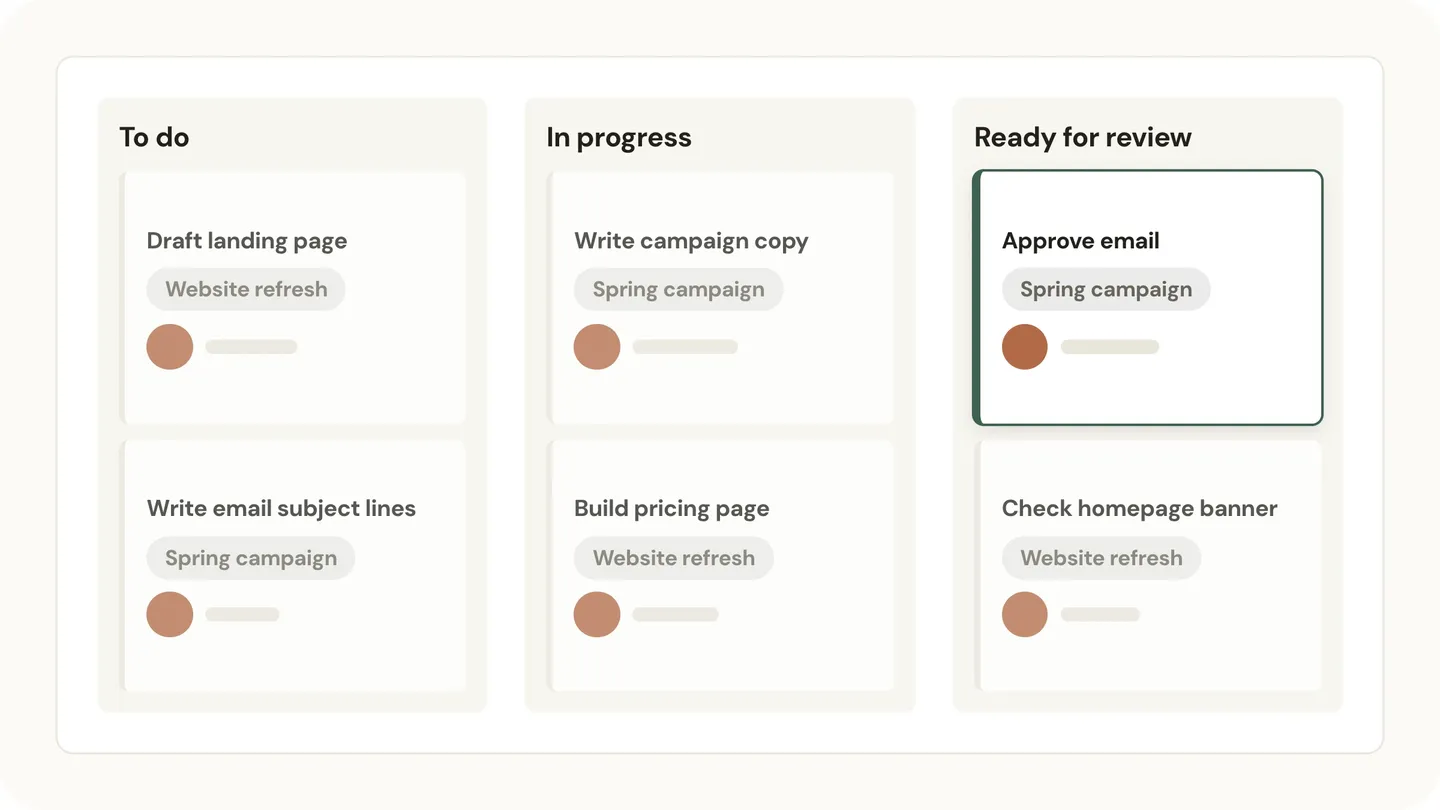
Organize boards by project or team
- Keep one project’s tasks together on a project board.
- Bring selected tasks across projects into a custom board.
- Create columns for your team’s stages of work.
- Set column rules to update progress when cards move.
- Explore project scheduling
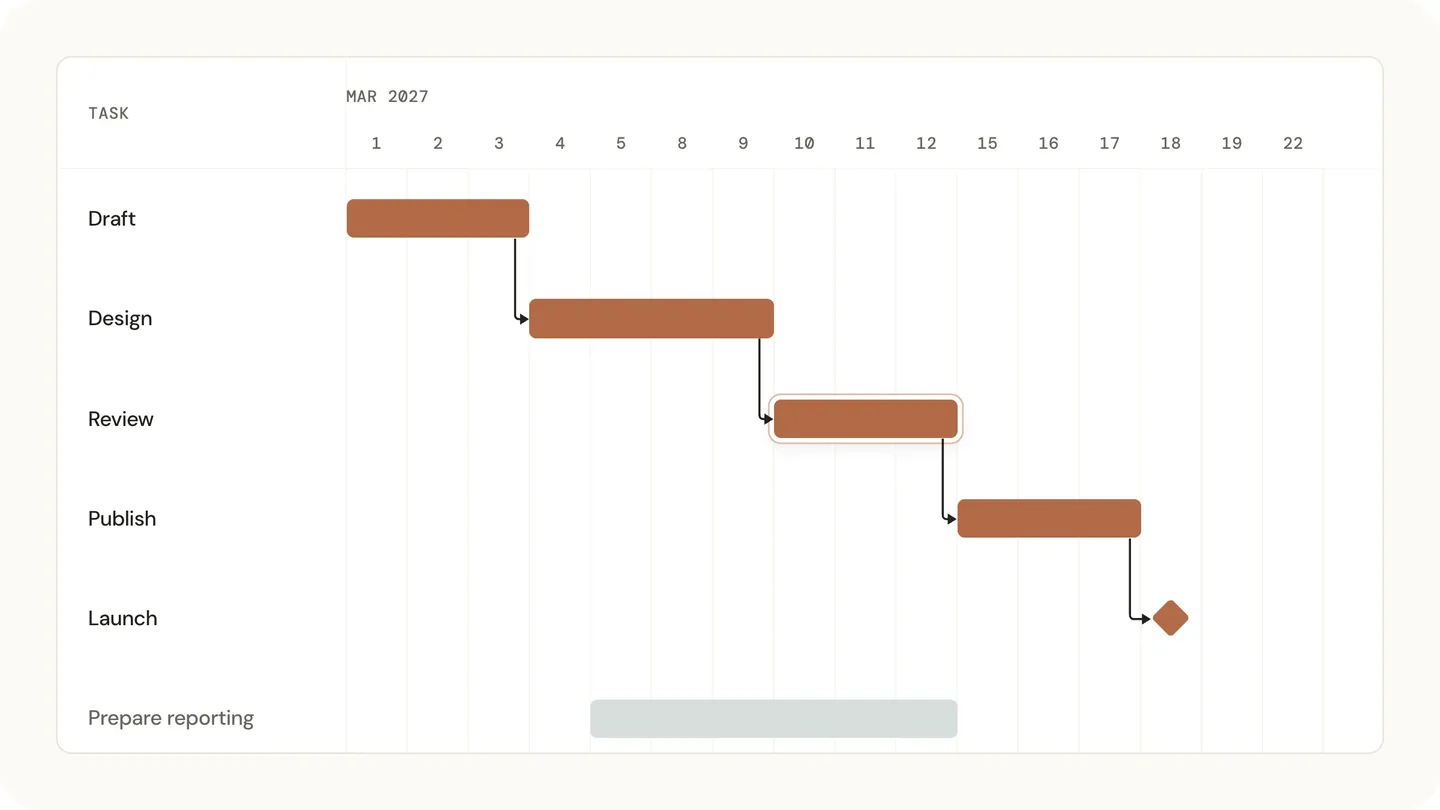
Map the handoffs that drive your deadline
- Drag and drop tasks to set start and finish dates.
- Connect tasks with 4 dependency types and lead/lag.
- Dependent dates update when tasks move.
- Highlight the critical path to see what determines your finish date.
- Explore project collaboration
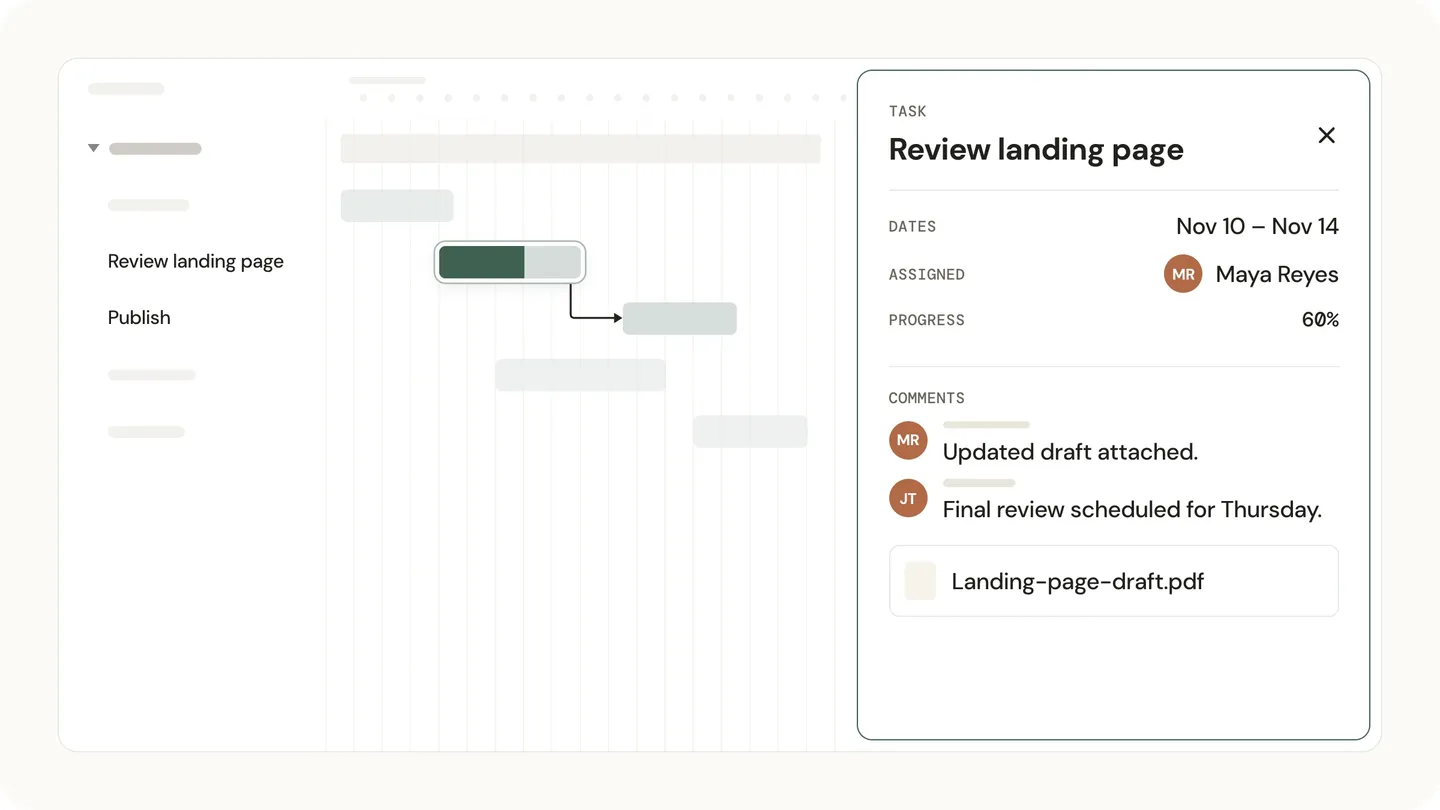
Keep project updates with the work
- Share a live, view-only schedule without requiring a login.
- Filter the schedule to focus on relevant work.
- Let collaborators comment and update progress on assigned tasks.
- Keep discussions and files with the tasks they support.
- Explore resource management
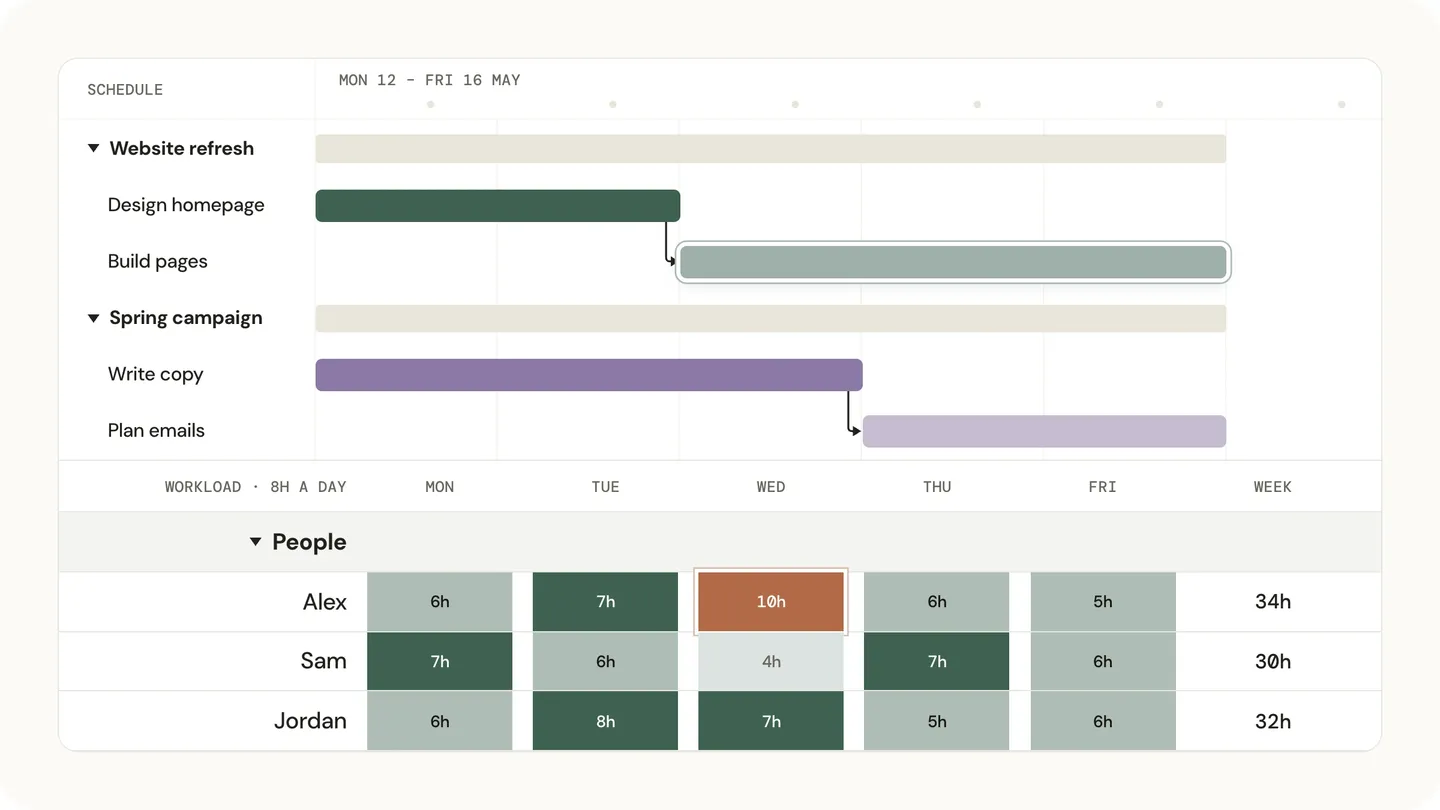
Balance assignments across projects
- View each person’s workload by day or week.
- Check assignments across projects in one view.
- Use hourly estimates to check capacity before assigning work.
- Reassign tasks when someone has too much on their plate.
- Explore project tracking
Track date changes and the edits behind them
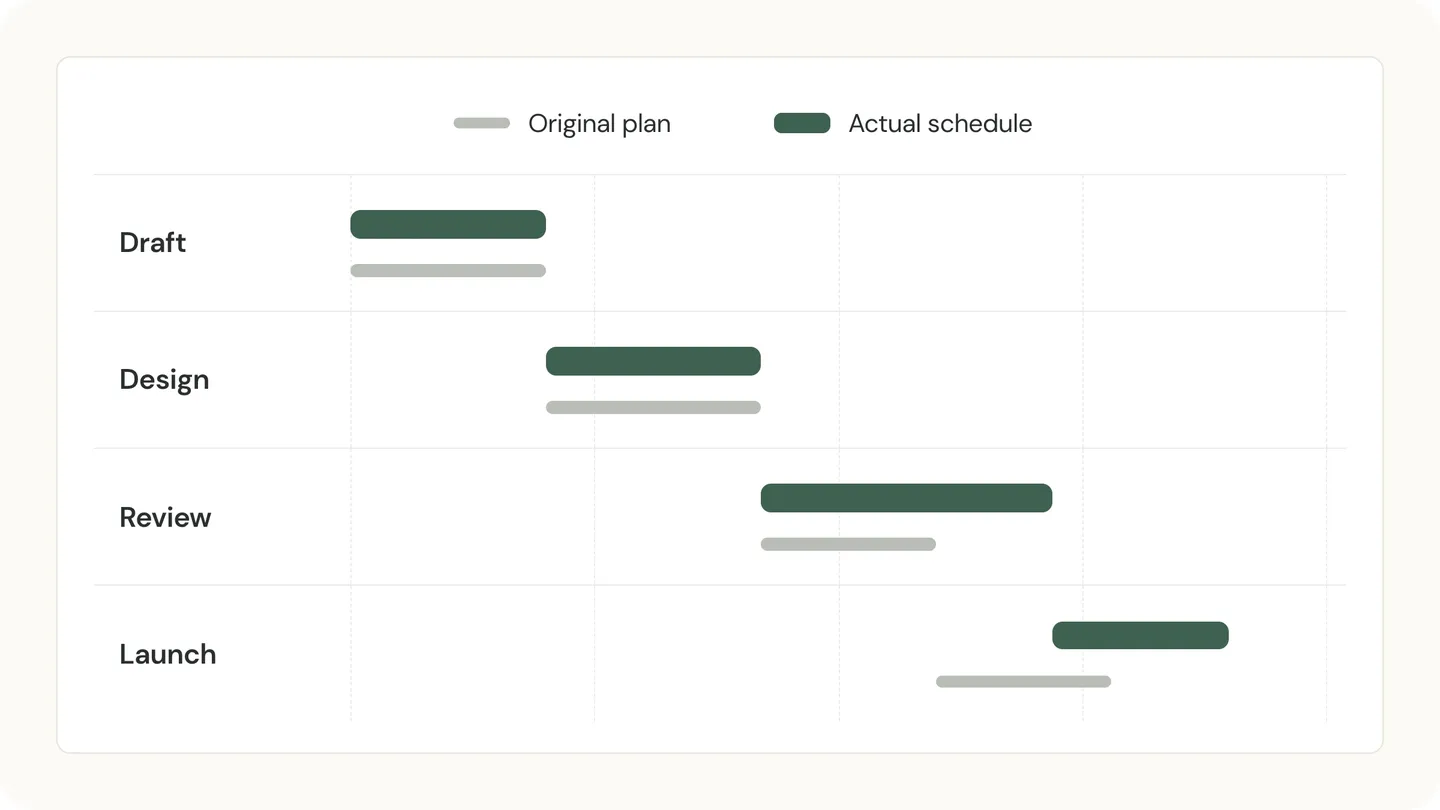
- Save your original plan as a baseline, then capture new versions as plans change.
- Compare current dates with earlier baselines to spot schedule shifts.
- Check project history to see who changed what.
- Undo date changes when the plan needs a correction.
For construction teams
Stay ahead of construction delays
Compare TeamGantt vs Trello
Scheduling
| TeamGantt | Trello | |
|---|---|---|
| Focus | Gantt scheduling with native project boards and custom boards. | Visual task management with cards, lists, and Power-Ups. |
| Scheduling | Build and adjust schedules directly in a Gantt chart. | Plan and adjust card dates in Timeline. Add dependency-based Gantt scheduling with a Power-Up. |
| Dependencies | Connect tasks with 4 dependency types and lead/lag. Dependent dates update when tasks move. | Use linked cards and checklists to represent dependencies. Configure automation to move related dates, or add a scheduling Power-Up. |
| Critical path | Highlight or filter the tasks driving your end date in one click. | Requires an added scheduling tool. |
| Baselines | Save unlimited baselines per project to track schedule changes over time. | No native saved schedule baselines. |
Access and collaboration
| TeamGantt | Trello | |
|---|---|---|
| User roles | Managers create and edit projects. Collaborators comment and update progress on assigned tasks. | Board members and guests can edit cards. Observer permissions prevent card edits. |
| External sharing | Share live, view-only schedules with clients, stakeholders, or field teams—no login required. | Anyone with the link can view a public board. Private boards require invited access. |
| Comments & files | Comments and files tied to tasks. | Comments and files tied to cards. |
Project visibility
| TeamGantt | Trello | |
|---|---|---|
| Cross-project visibility | See project timelines and health in portfolio view, or organize selected tasks across projects on custom boards. | Workspace Table and Calendar views show cards across boards. Timeline and Dashboard are board-level views. |
| Boards | Board cards are project tasks, so updates stay connected to the Gantt schedule. | Organize cards in lists and mirror cards across boards. |
| Project views | Gantt, Board, List, and Calendar views. | Board, Calendar, Table, Timeline, Dashboard, and Map views. |
| Workloads | View people’s workloads across projects and reassign work from the schedule. | Cross-board capacity planning takes manual tracking or an added tool. |
Construction
| TeamGantt | Trello | |
|---|---|---|
| Subcontractor coordination | Subs confirm dates via email or text link without logging in. Confirmation status appears on the Gantt chart. | Coordinate dates through cards and comments. A dedicated confirmation process requires a configured workflow or added tool. |
| Client visibility | Share schedules, messages, and updates through a client portal with email-authenticated access. | Invite clients as board guests or share a public board link. Use Observer permissions to prevent card edits. |
| Lookahead planning | Use a dedicated lookahead tool to focus on the next 2–6 weeks. | Review upcoming cards in Calendar or Timeline, or organize upcoming work on a board. |
| Material tracking | Tie materials to install tasks. Order deadlines shift when scheduled install dates move. | Track materials with cards and Custom Fields. Link date changes through configured automation or added tools. |
| Cost-loaded scheduling | Connect job costs to tasks and forecast cash flow alongside the schedule. | Record costs in Custom Fields. Schedule-based cash-flow forecasting requires additional setup or tools. |
Pricing
| TeamGantt | Trello | |
|---|---|---|
| Pricing model | Project-based pricing, with unlimited-user options and additional projects priced separately. | Per-user pricing. Single-board guests are free; guests on multiple boards may incur charges. Some Power-Ups cost extra. |
| Free access | 14-day free trial (credit card required). | Free plan for up to 10 collaborators and 10 boards per Workspace. |
“TeamGantt has made a significant impact on our project planning—making it easy to create, update, and share plans with all our stakeholders. Clear communication of plans is key to ensuring there are no misunderstandings about responsibilities and timelines.”
Mark Whitehouse · Mitacron
Integrations
Keep Trello connected to your schedule
Which tool is right for you?
Choose Trello for requests and repeatable workflows
Trello is the right fit if you:
- Sort incoming requests by priority and assign the next available person.
- Move articles or creative assets through drafting, review, and approval.
- Route recurring work through familiar steps, such as onboarding or weekly publishing.
- Track an ongoing queue where each item has its own deadline.
Choose TeamGantt for projects with connected deadlines
TeamGantt is the right fit if you:
- Plan launches where a late approval can push back the release.
- Coordinate client projects with several handoffs and an agreed delivery date.
- Schedule designers or specialists whose time is shared across projects.
- Work backward from an event or opening date to plan what must happen first.
More than 2,000,000 users choose TeamGantt
Alex Greenberg
Head, NGX Interactive
“The tools that I found felt a bit too cluttered. Either the UI was too complex or there were too many tools… When I saw TeamGantt, that's exactly what I needed.”
Pieta Blakely
Head, Blakely Consulting, LLC
“Projects actually started to wrap up faster, which meant I got paid faster. I got more relaxed.”
Liana Simstrom
Supervising Producer, NPR
“Being able to assign team members to different tasks and sort of see how those tasks stack up has been really invaluable, especially as we tackle issues of burnout and work-life balance for our producers.”
Frequently asked questions
When should we use TeamGantt instead of Trello’s Timeline?
Consider a recent delay: Could you quickly identify which work had to wait and whether the deadline needed to move? If that required tracing cards and checking dates manually, test the same project in TeamGantt.
Can we use TeamGantt alongside Trello?
Comments, attachments, and checklists do not sync. Decide where your team will keep conversations and files, then test the connection with one project. Review the Trello sync options before choosing your setup.
Can our team keep using boards if we switch to TeamGantt?
The main adjustment is that every card belongs to a project, even when it appears on a custom board. Recreate a familiar workflow to check the columns and progress rules. Review your Trello automations and Power-Ups separately to see what needs rebuilding or replacing.
What can we transfer from Trello to TeamGantt?
For a full switch, plan how to retain those files and conversations. Set up your board columns and scheduling dependencies, and review task assignments before moving active work.
How should we compare the cost of TeamGantt and Trello?
Include any additional project charges, billable guests, and paid Power-Ups. If you use both tools, include both subscriptions where applicable. Check current TeamGantt pricing and Trello pricing for your setup.
Explore more comparisons
Stay focused. Finish strong.
Start a free trial and see it for yourself, or book a demo and we'll build it with you.