Sprints keep short-term work moving. But when you’re focused on the next two weeks, it’s easy to lose sight of how that work adds up to a release—or which product goals it supports.
An Agile product roadmap connects those details to the bigger picture. It lays out the releases, features, and epics you’re planning over the coming months and quarters, so your team can weigh new requests, coordinate work across teams, and adjust priorities without losing direction.
What is a product roadmap?
A product roadmap is a big-picture plan that lays out a clear path for the evolution of your product over time.
In a roadmap, tasks show how your product will get from point A to point B so you can establish a timeline for feature releases without losing sight of long-range product goals. This makes it easy to get your team and stakeholders aligned on what will be delivered when and enables your product team to assess how new requests fit into the existing plan.
The product manager or product owner usually owns the roadmap. That person decides what earns a spot on it and keeps it current when priorities change. Engineering, design, support, marketing, and leadership all read the same plan, each at a different level of detail.
Product roadmap vs. project roadmap
A product roadmap tracks what your product will deliver to users over time. A project roadmap tracks the major work a team has to finish to reach one goal, like an event launch or a website redesign.
Product roadmap | Project roadmap | |
What it tracks | Features and releases for end users | Major phases and tasks for one initiative |
Time frame | Ongoing, across the product’s life | A set start and end date |
Main question it answers | What ships next, and when? | What has to happen to reach the goal? |
Typical owner | Product manager or product owner | Project manager |
Product roadmap elements
Most product roadmaps are built from the same seven elements. Which ones you show, and how much detail you give each, depends on your strategy and who’s reading the roadmap:
Product vision: The end result your product is working toward, including the features and benefits it should deliver to users.
User stories: Requirements written from the end user’s point of view. They live in your product backlog until they’re ready for the roadmap.
Features: New or improved functionality that gives users value. Each feature should trace back to a user story.
Releases: Launch dates for a set of features.
Epics: An epic is a large user story that can’t be completed within a single release. Epics typically consist of several smaller, related user stories or features that can be delivered incrementally.
Dates: When work starts and ends. Deadlines on releases and major milestones keep work on track.
Initiatives: Large bodies of work that support a business goal. Tying features to an initiative shows how development work supports your product strategy.
Match the level of detail to the people reading it. Leadership needs the vision, initiatives, and dates. The delivery team needs epics, features, and releases.
Types of product roadmaps
Product roadmaps come in five common formats, and the right one depends on who’s reading and how firm your dates are. Here’s how they compare:
Roadmap type | What it shows | Best audience | Time horizon | Template to start from |
Strategy (goals) roadmap | Goals and the initiatives that support them | Leadership | Quarters to years | Agile product roadmap template, with one group per goal |
Agile (theme) roadmap | Themes of work and the epics that roll up into each one | Product and engineering leads | Months to quarters | |
Release roadmap | Release phases and what ships in each one | Cross-functional teams and stakeholders | Weeks to quarters | |
Features roadmap | Upcoming features and the initiative each one supports | Support, marketing, and sales | Weeks to months | |
Now-next-later roadmap | Priorities sorted into three buckets, with no dates | Early-stage teams whose priorities change often | Rolling | None until dates are committed |
When a dated Gantt chart roadmap fits better
A now-next-later board works while priorities are still moving and nobody outside the team depends on a date. Move to a dated Gantt chart roadmap once a release date is promised outside the team, or once one team’s work hands off to another. At that point, stakeholders need timing and sequence, and a bucket labeled “Next” can’t show either one.
How to create a product roadmap
You can build a product roadmap in 7 steps, moving from vision to sign-off. They follow the same logic as project planning: set goals, rank the work, sequence it, and confirm you have the people to deliver it.
1. Define the product vision and goals
Your vision and goals decide what earns a spot on the roadmap. Write the vision in 1–2 sentences, then pick 2–4 goals for the planning horizon, such as shortening onboarding. Every item you add later should trace back to one of these goals.
2. Gather and prioritize inputs
Prioritize your inputs before you put dates on anything. Pull candidates from the product backlog, customer feedback, support tickets, and sales requests. Score each one on value and effort, then cut anything that doesn’t support a goal from step 1.
Dating unranked work turns the roadmap into a wish list with deadlines.
3. Group work into themes, initiatives, or epics
Grouping turns a long list into a structure each audience can read. Cluster features under epics, and epics under the theme or initiative they support. In TeamGantt, make each theme a task group and each epic a subgroup inside it. Leadership reads the groups, and engineering opens a subgroup to see the tasks behind it.
4. Set time horizons and add release milestones
Detail should drop off the further out you plan. Schedule this quarter at the feature level with real dates, next quarter at the epic level, and anything beyond that as themes. Then add project milestones for fixed checkpoints: beta, launch, and any approval gate a release depends on.
5. Map the order of work
Sequence matters most where one team hands work to another. Look for real handoffs: design before build, API work before the integration that uses it, and beta feedback before general release.
In TeamGantt, link those tasks with dependencies so you see what a change affects. If the API work runs long, you can see which features and which release milestone sit behind it. Link only the relationships that change the timeline, so the plan stays easy to read.
6. Check capacity before you commit dates
Roadmap dates break when the same people are booked twice. A release can look fine on the timeline while its only designer is staffed on two other projects that month.
Before you publish release dates, open the Workloads heat map in TeamGantt. It shows who’s busy when across all your projects, so you can spot an overloaded teammate. Adjust scope or dates while the plan is still a draft.
7. Review the plan and get sign-off
Sign-off turns a draft into a plan people can rely on. Walk leadership through themes and quarters, and the delivery team through epics and releases. Mark which dates are committed and which are targets, so nobody repeats a target as a promise.
How to keep a product roadmap current
Three habits keep a product roadmap current: a regular review, a baseline to compare against, and one shared version everyone reads.
Set a review cadence
A predictable cadence keeps each update small. Use three triggers:
Review dates and release progress every month
Revisit themes and goals every quarter
Update right away when a release moves, a priority changes, or a key person becomes unavailable
Each time you update the plan, note what changed, why, and what it affects.
Set a baseline at sign-off
Set a baseline in TeamGantt the day the roadmap is signed off. At each monthly review, compare the current plan against it so you can see what slipped and by how much.
That comparison turns a vague “we’re behind” into a specific conversation about one release and the days it lost.
Share one live version with stakeholders
Stakeholders trust a roadmap when the version they see is the current one. Share a view-only link to your TeamGantt plan, so leadership and partner teams see today’s plan instead of an old slide. For a board deck or exec review, filter the plan to the releases that audience cares about and export a PDF.
Decide up front who gets the live link and who gets a monthly PDF. Matching the format to the reader is a core part of stakeholder management.
Common product roadmap mistakes
These five mistakes cause most roadmap problems, and each one has a straightforward fix.
Treating the roadmap as a feature list
A roadmap packed with features and no goals can’t help you turn down a request. Tie every item to a goal or initiative from step 1. If an item can’t trace back to one, return it to the backlog until it can.
Showing leadership too much detail
Task-level detail buries the decisions leadership needs to make. Give executives themes, initiatives, and release dates. Keep tasks in the delivery team’s view.
Committing dates before checking capacity
A date set without a capacity check is a guess that has gone public. Run the capacity check from step 6 before any date leaves the team. Until then, call it a target.
Leaving the roadmap without an owner or review date
Without an owner, a roadmap drifts out of date one skipped update at a time. Name one owner and put the monthly review on the calendar. Make that owner the only person who changes committed dates.
Mixing the backlog into the roadmap
When every idea lands on the roadmap, nobody can tell what’s committed. Keep ideas and unranked requests in the backlog. Move an item onto the roadmap only after it’s prioritized, grouped under a theme, and given a time horizon.
Product roadmap templates
Each product roadmap template below is a ready-made Gantt chart, and each one doubles as a product roadmap example.
Choose the template that matches your audience, and try it free for 14 days. New to planning Agile work on a timeline? See how to use a Gantt chart to manage Agile projects.
Agile product roadmap template
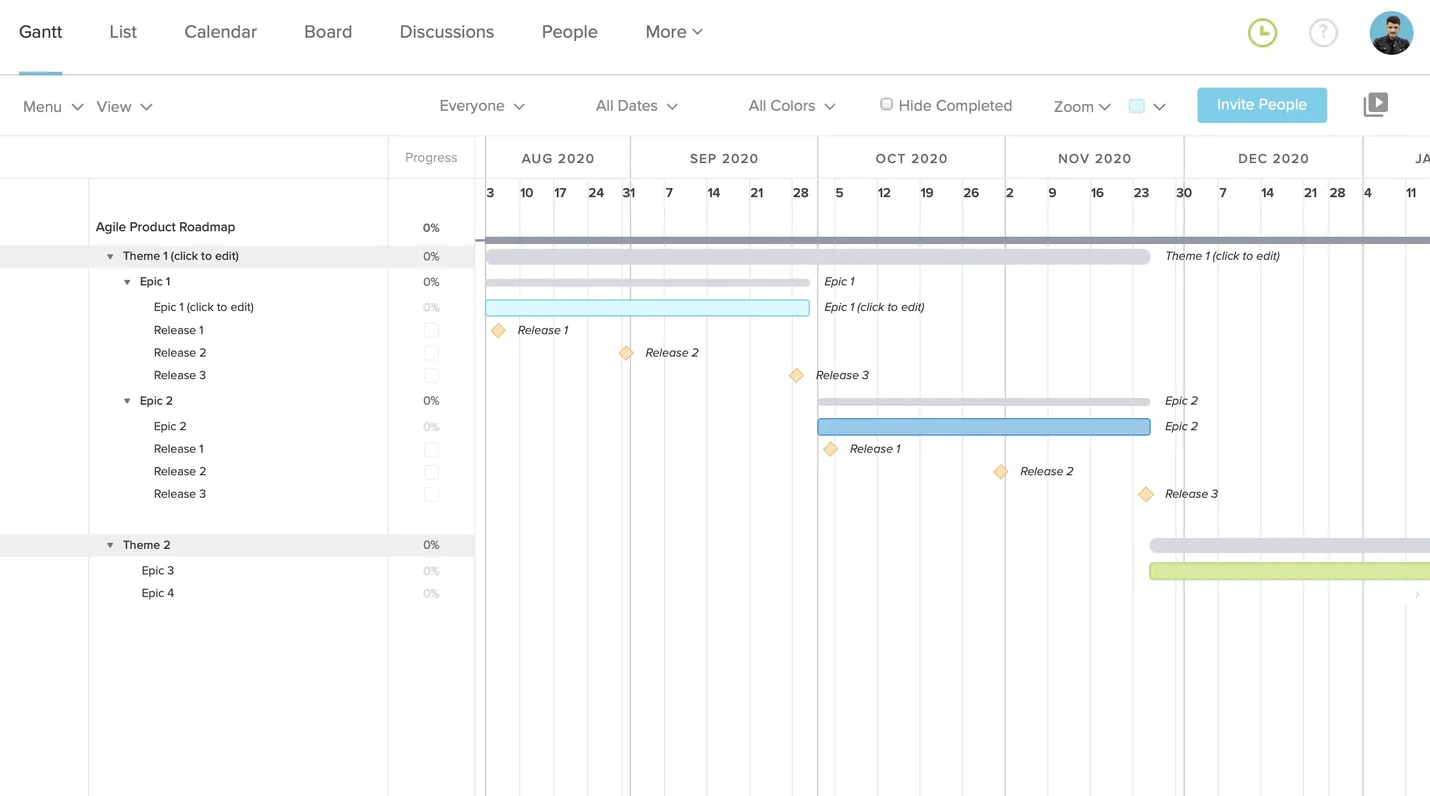
Use this template for high-level planning that spans months, quarters, or years. It shows your major themes, the epics that roll up into each one, and the release dates along the way, so everyone can see how daily work connects to the bigger plan.
Create your Agile product roadmap in TeamGantt
 Helpful features:
Milestones for release dates, so each epic shows what it’s building toward
Zoom out to see months or quarters on one screen when you present to leadership
Product release roadmap template
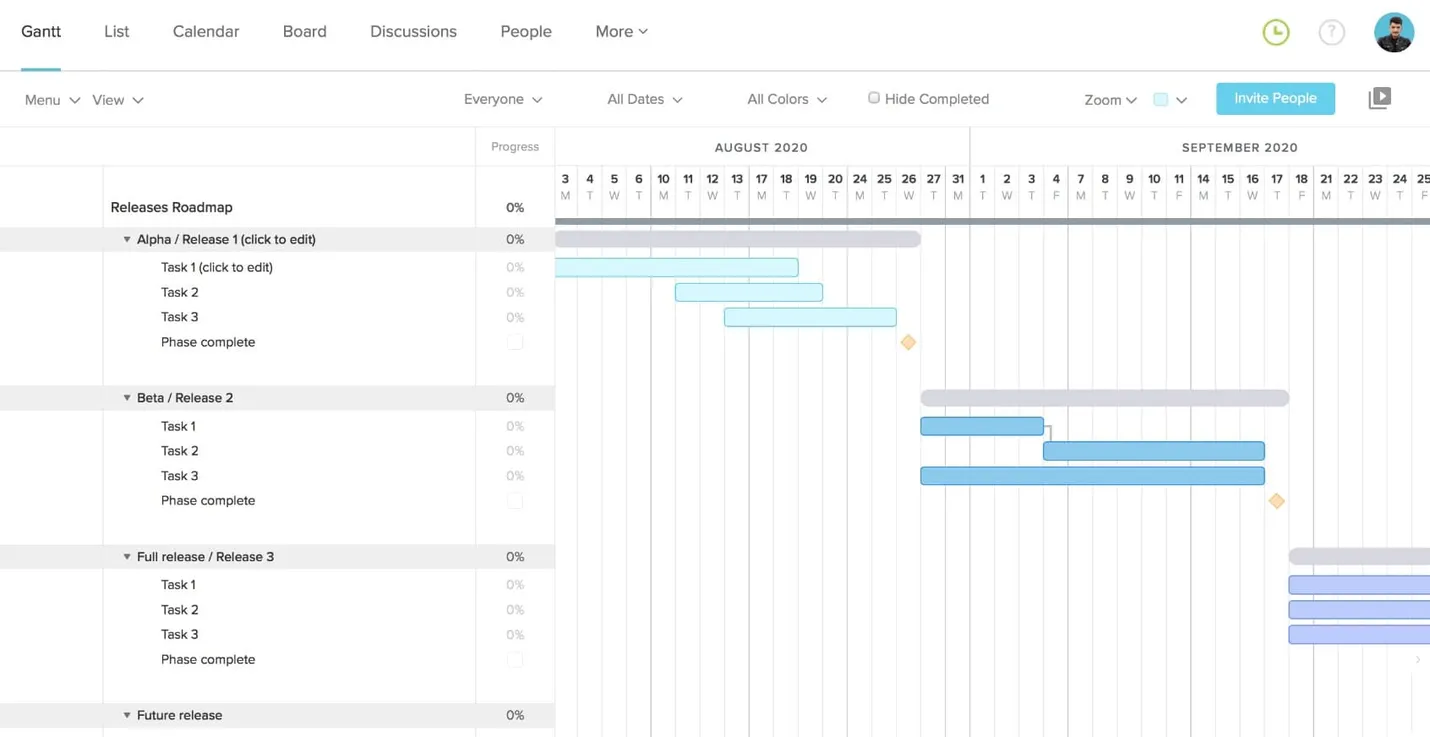
Use this template to set expectations about when each version of your product goes live. It shows your major release phases and the tasks or features delivered in each one, which keeps stakeholders and cross-functional teams aligned on timing.
Create your product release roadmap in TeamGantt
 Helpful features:
Move a whole release to new dates when plans change, instead of shifting tasks one by one
Comments and files on each release group, so notes and specs stay with the release
Product features roadmap template
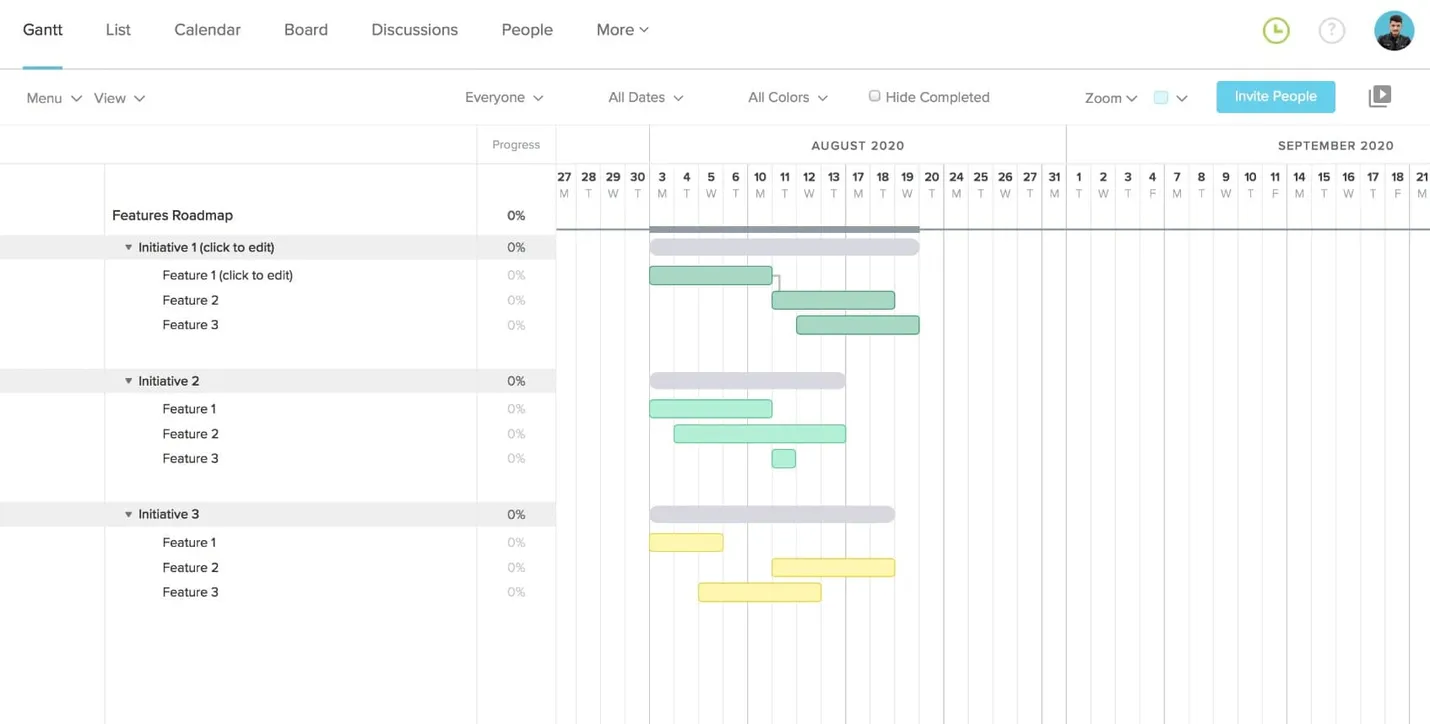
Use this template to tell customer support, marketing, and sales which features are coming and when. It shows each planned feature and the initiative it rolls up into, so teams can see how new work supports product goals.
Create your product features roadmap in TeamGantt
 Helpful features:
Task colors to show each feature’s status, type, owner, or initiative at a glance
Dependencies to mark features that have to ship in a certain order